




Overview
The Process Groups tab serves as a central hub for managing all process groups across connected clusters, displaying their current logged-in or logged-out status..
It provides key management actions, including:
- Deploy
- Schedule Deployment
- Upgrade
- Schedule Upgrade
- Bird’s Eye View (for detailed visualization)
With an intuitive point-and-click interface, users who have write access can efficiently deploy, upgrade, or schedule these actions on process groups. This ensures effective management, scheduling, and execution within the Data Flow Manager.
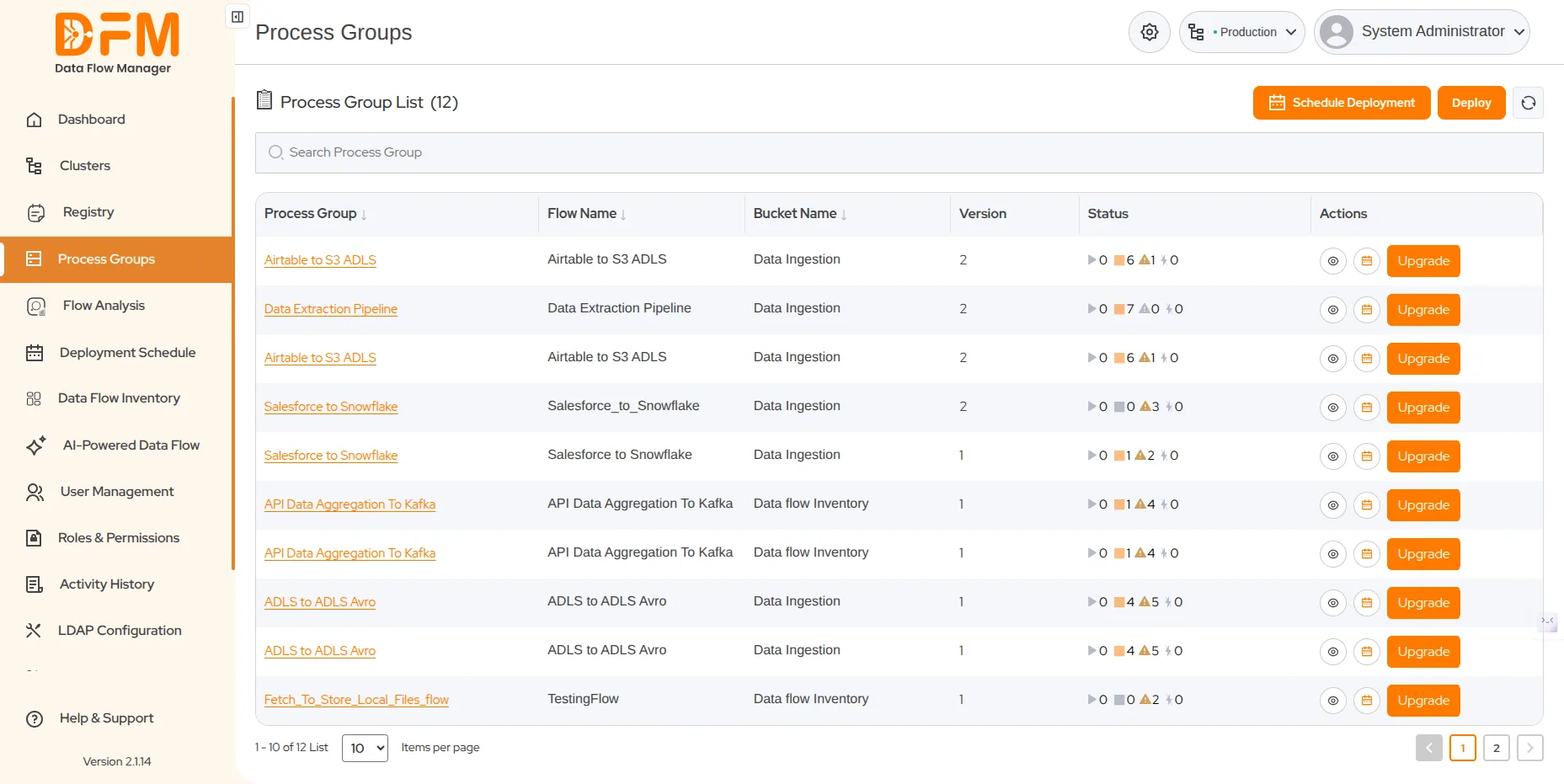
In addition, you can access the details of each process group, edit parameter contexts and variables, and configure controller services.
 1800 121 0218
  +1 (646) 203-1075
  +91 8527471031
 sales@ksolves.com