




Attach an existing external controller service to a process group while deploying or upgrading it
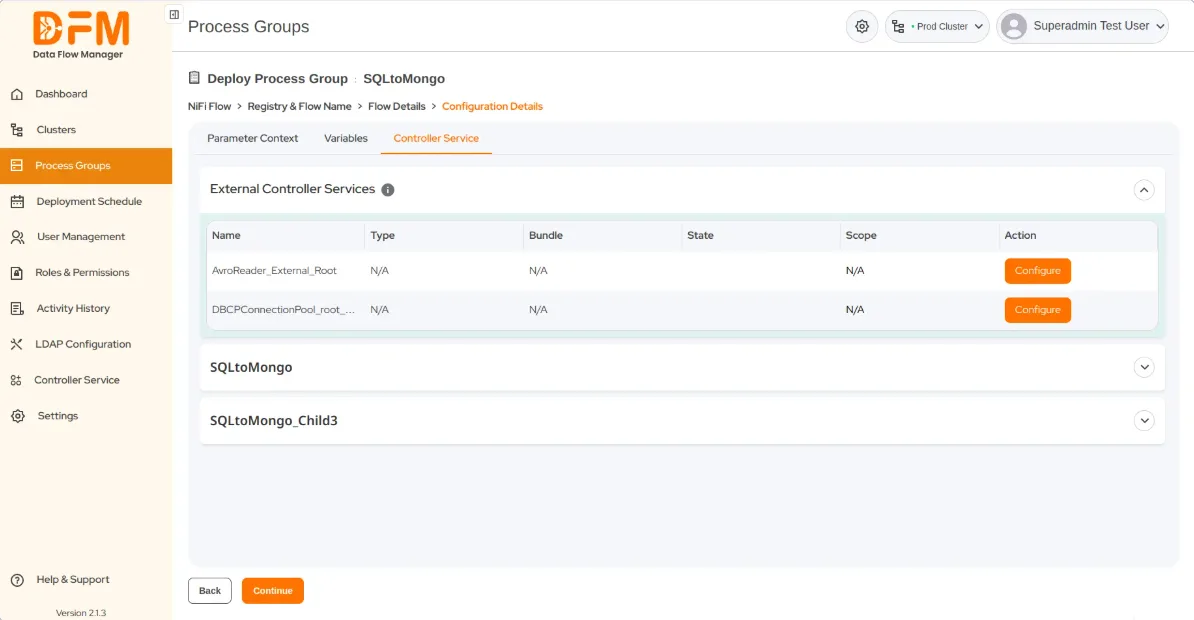
Under the same controller service tab
- Choose External Controller Services and click Configure.
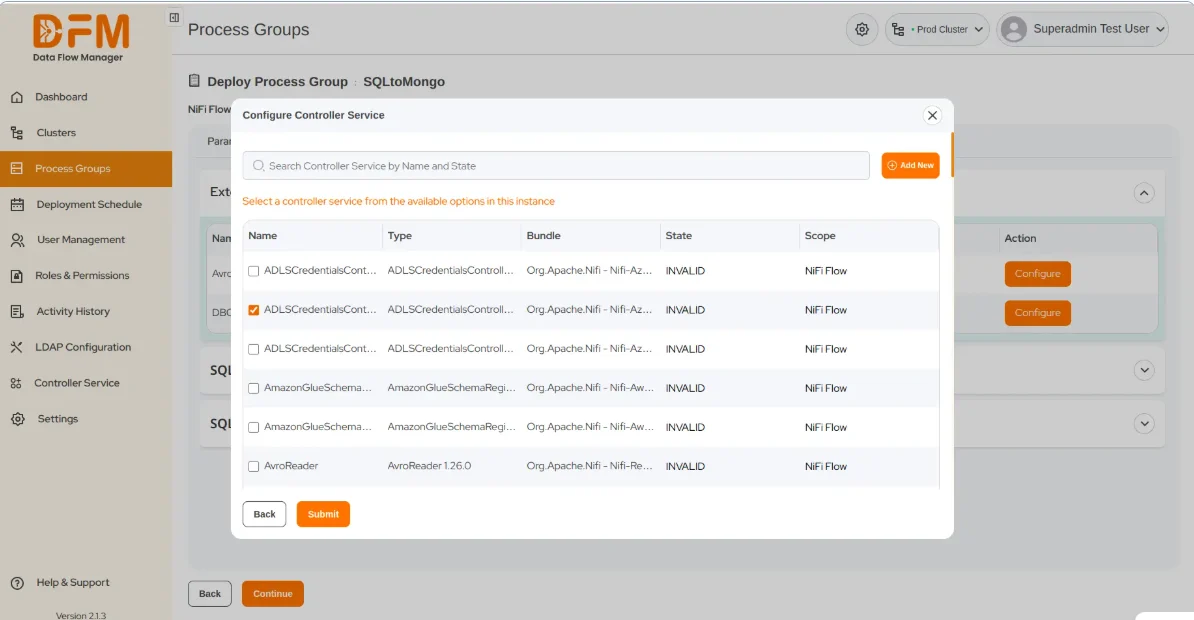
- A pop-up appears where you can select the controller service you want to attach. Search it by its name or state. Mark the check box and click Submit.
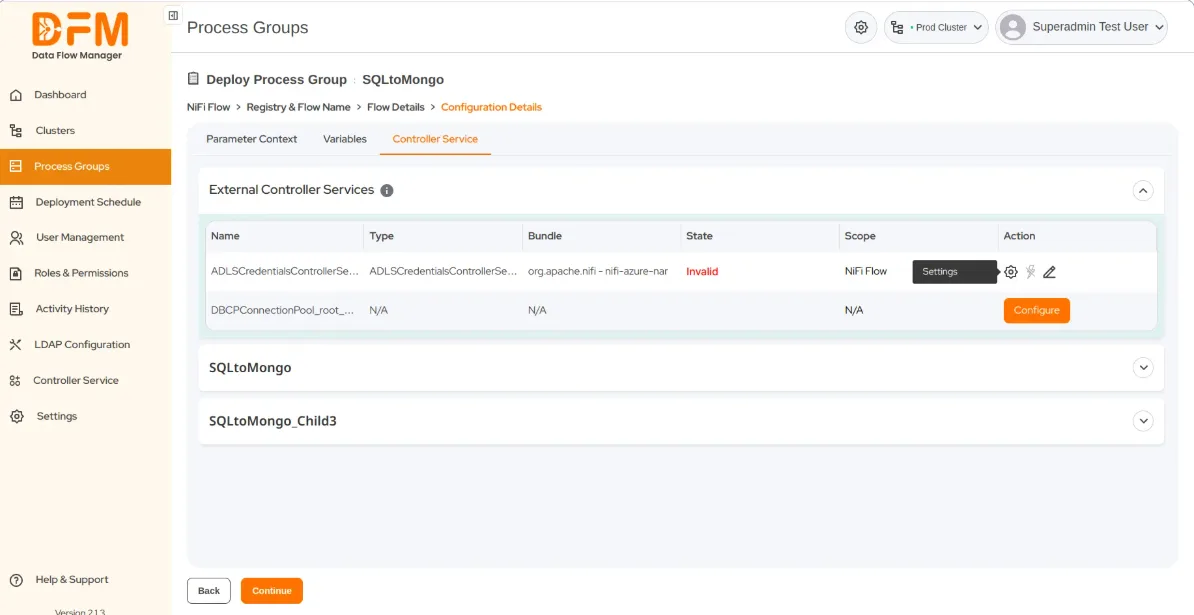
- Now, go to Settings located on the right side of the chosen controller service.
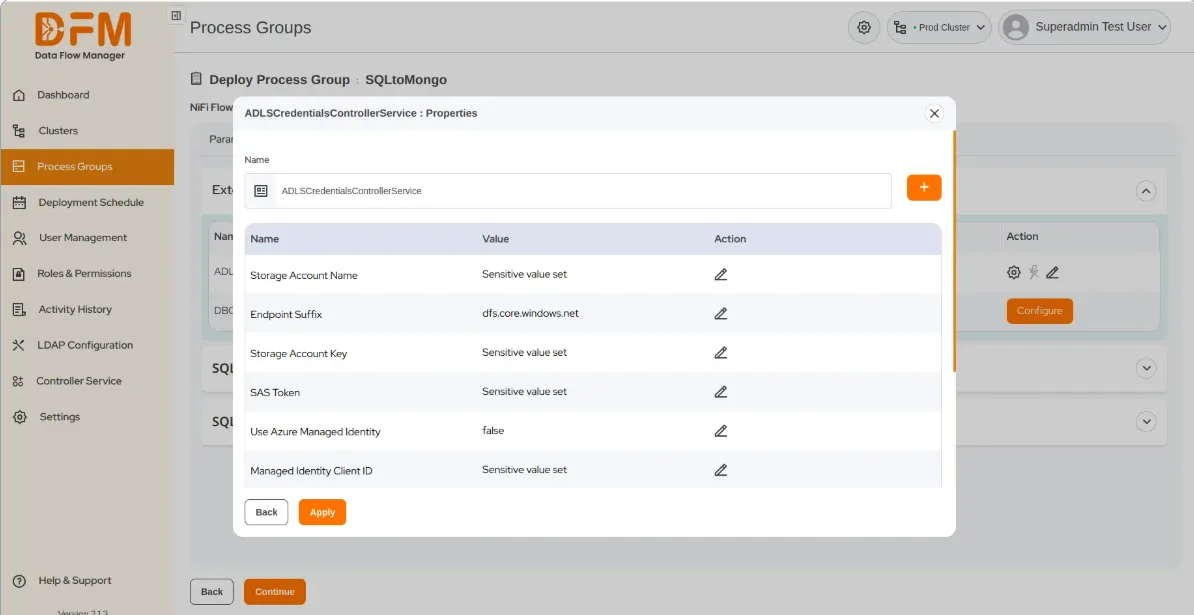
- Fill in the values of all the fields, and finally click Apply.
 1800 121 0218
  +1 (646) 203-1075
  +91 8527471031
 sales@ksolves.com