




How to log out of a cluster?
Logging out of a cluster is as simple as logging in.
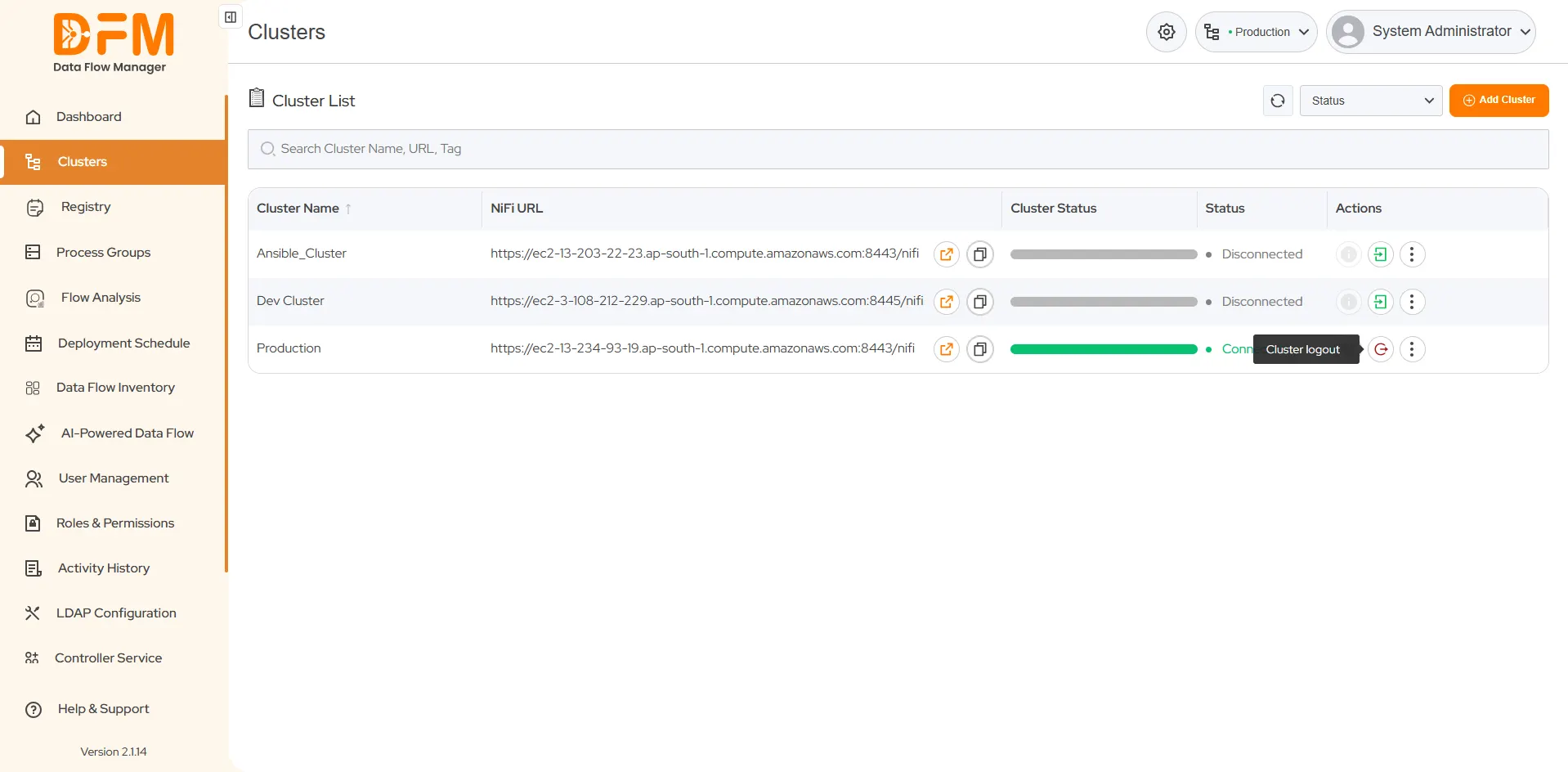
- Go to the Clusters tab.
- Navigate to the cluster from which you want to log off.
- Under the Actions column, click the second icon with a red color to log out from the cluster.
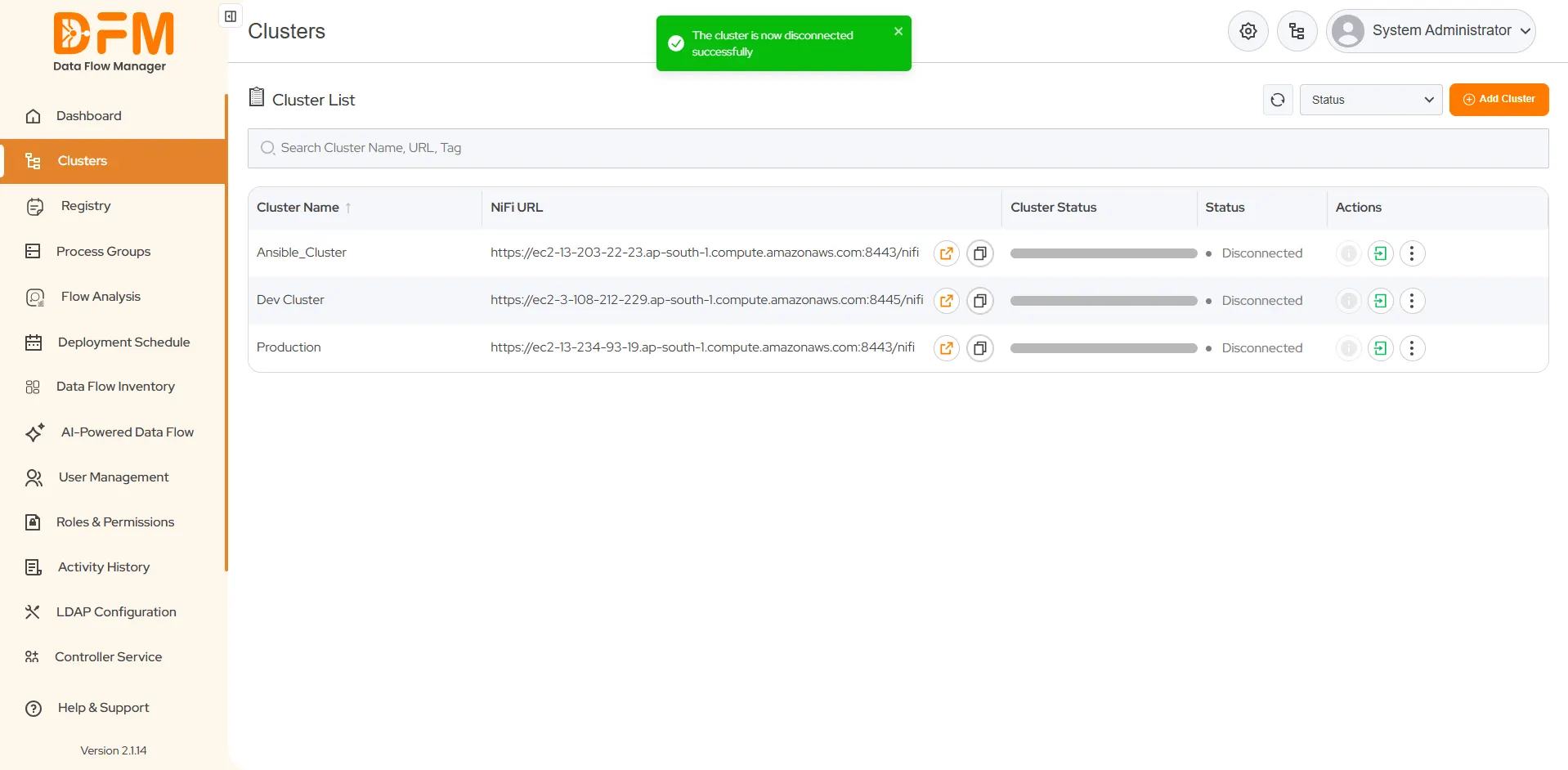
- Once you click it, you get a message displaying “Your cluster is now disconnected”.
 1800 121 0218
  +1 (646) 203-1075
  +91 8527471031
 sales@ksolves.com