




Use filters to sort the cluster list
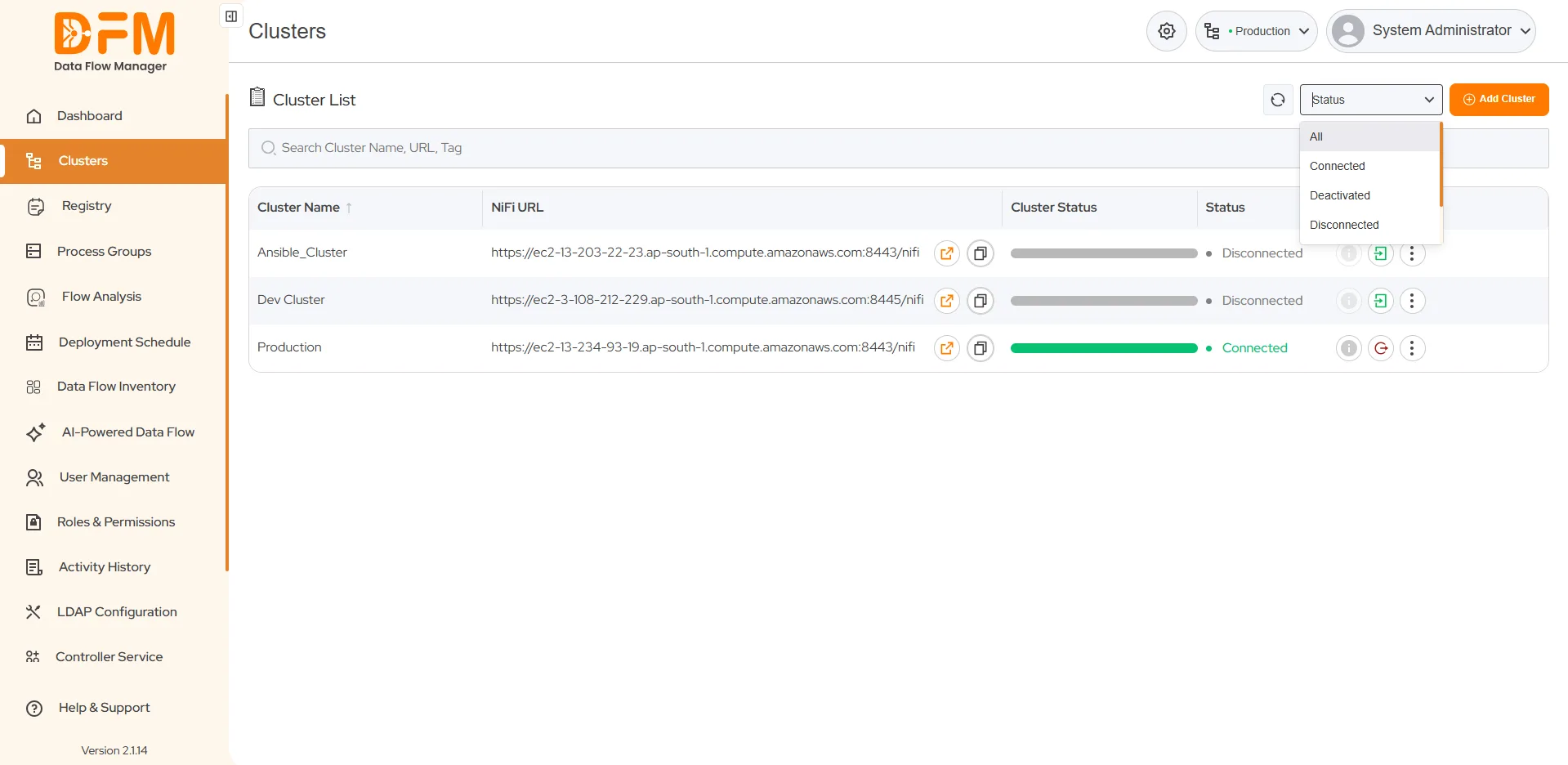
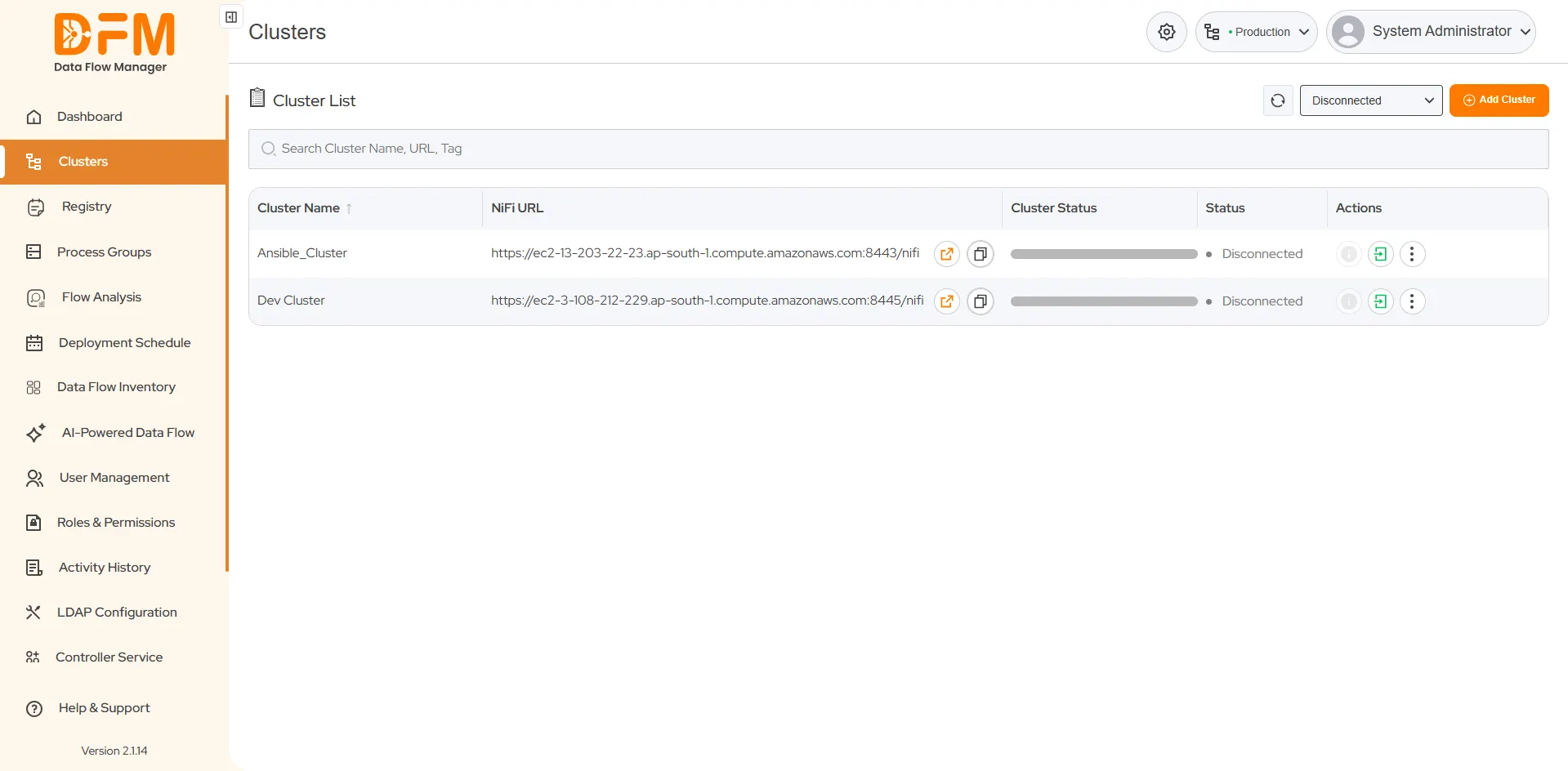
It becomes overwhelming to find a particular cluster from a list of many. You can filter this list based on the cluster status - Connected/Disconnected and Deactivate.
To filter the cluster list
- Go to the dropdown with the name Status in the top-right corner.
- Choose the status so that the list contains the clusters accordingly. If you choose Deactivated, the list will contain only deactivated clusters.
 1800 121 0218
  +1 (646) 203-1075
  +91 8527471031
 sales@ksolves.com