




Edit parameter contexts and variables of a process group while deploying or upgrading it
You can edit parameter contexts and variables while deploying a process group. After you select the Bucket and Flow name, choose the flow version, and set the canvas position, you get the list of parameter contexts and variables used by the process group you are currently deploying or upgrading.
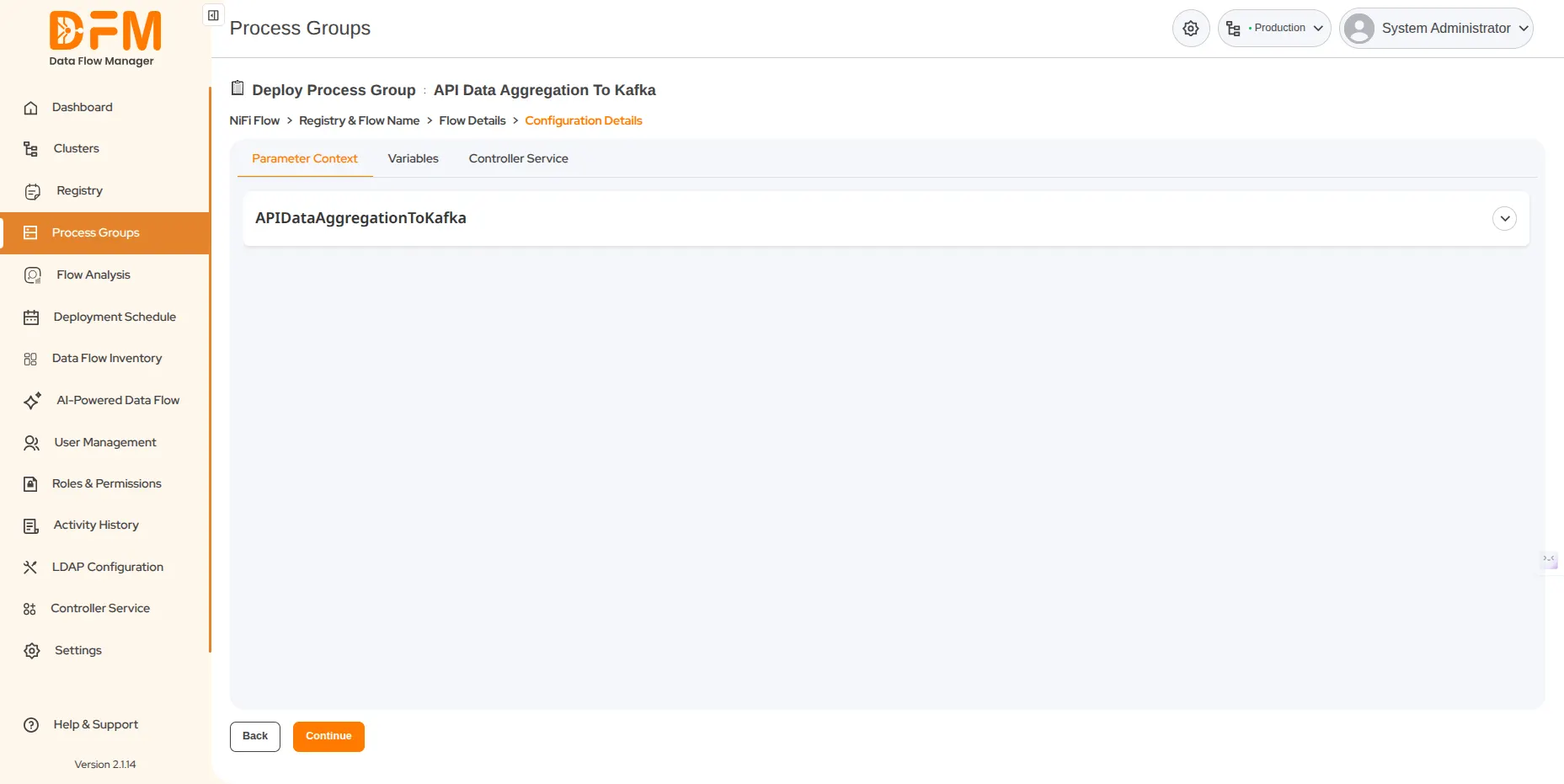
To edit the parameter context
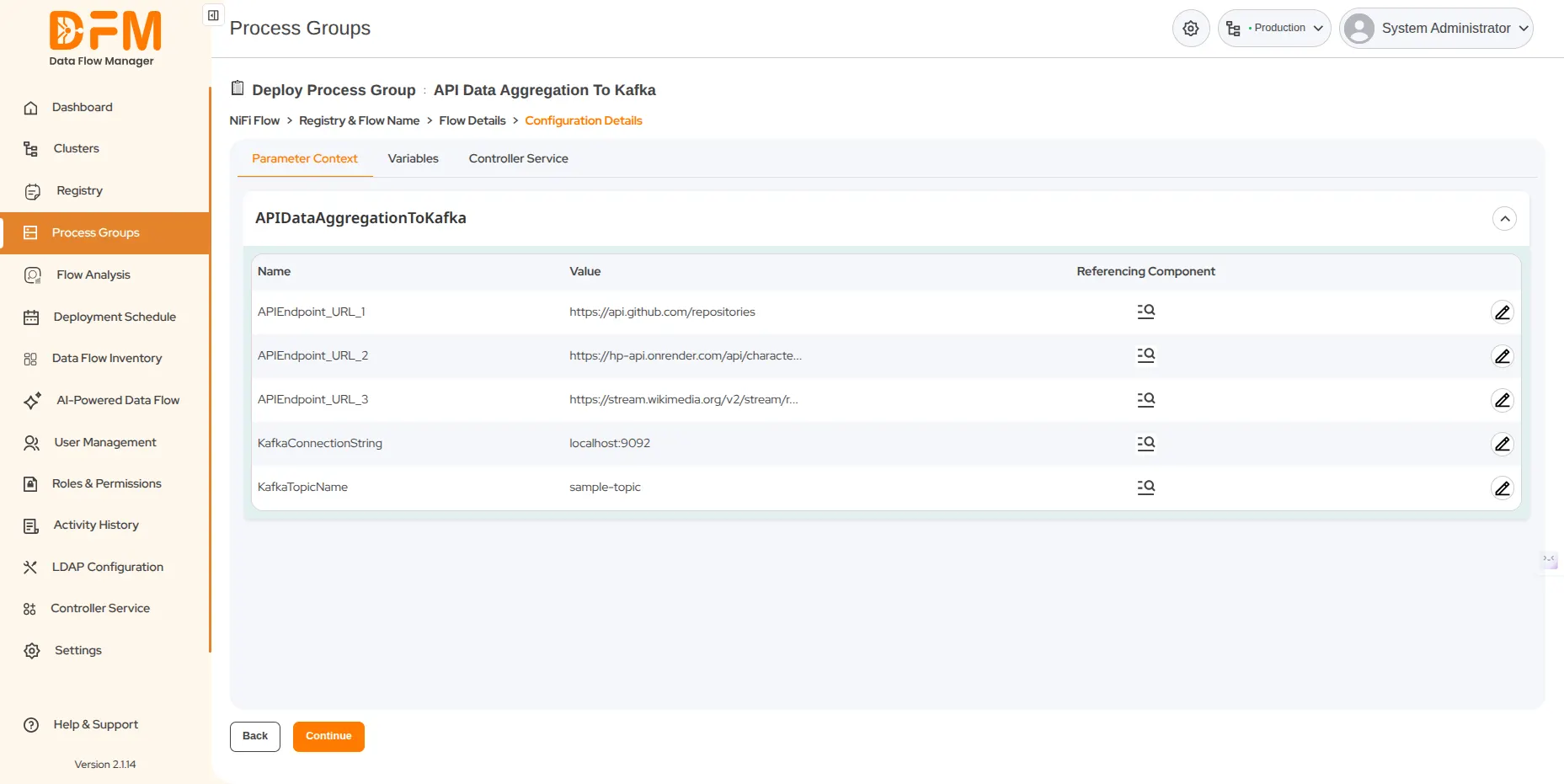
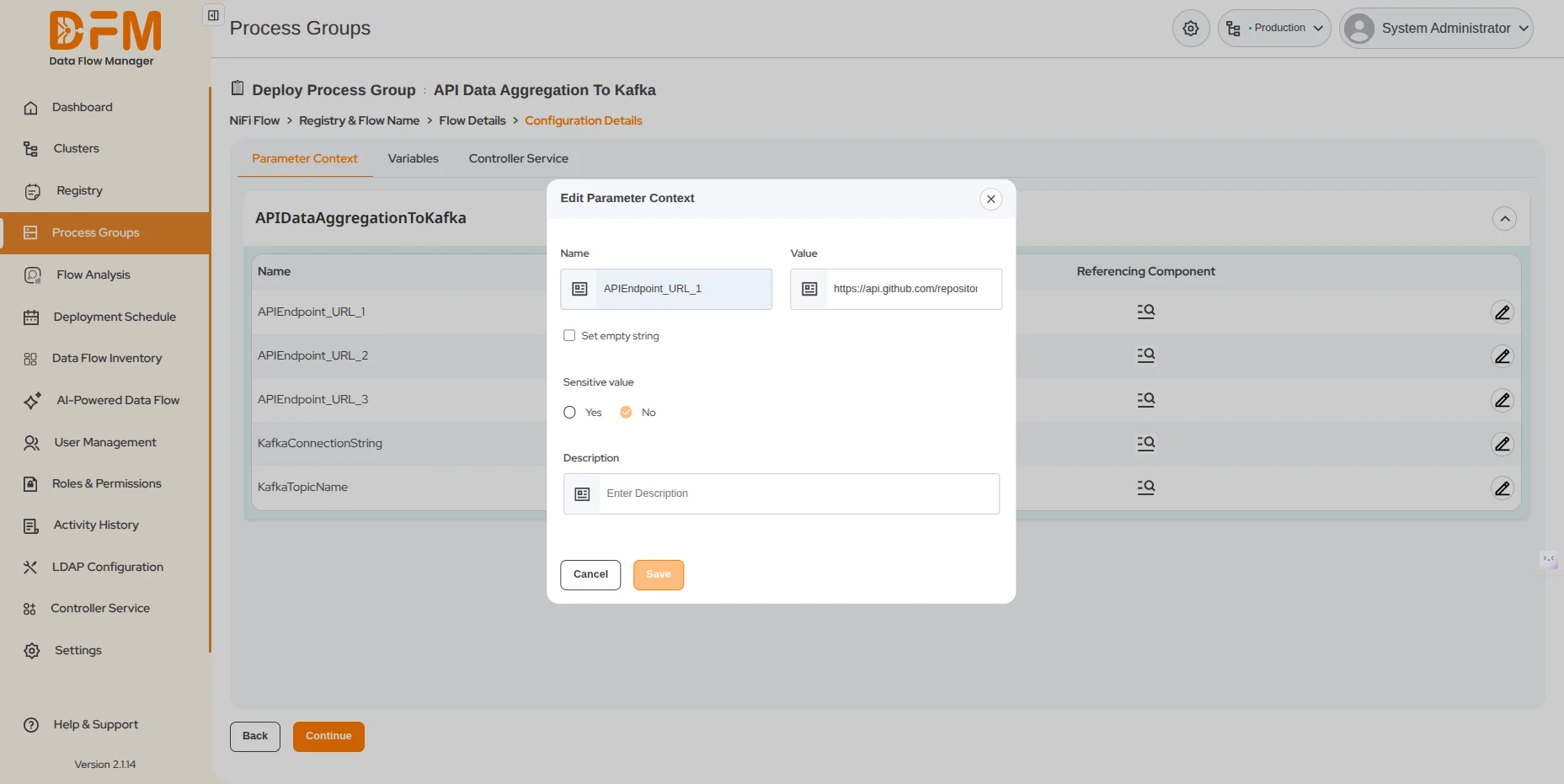
- Choose the one that you want to edit. Click on the edit icon next to the parameter content.
- Add the description and click Save.
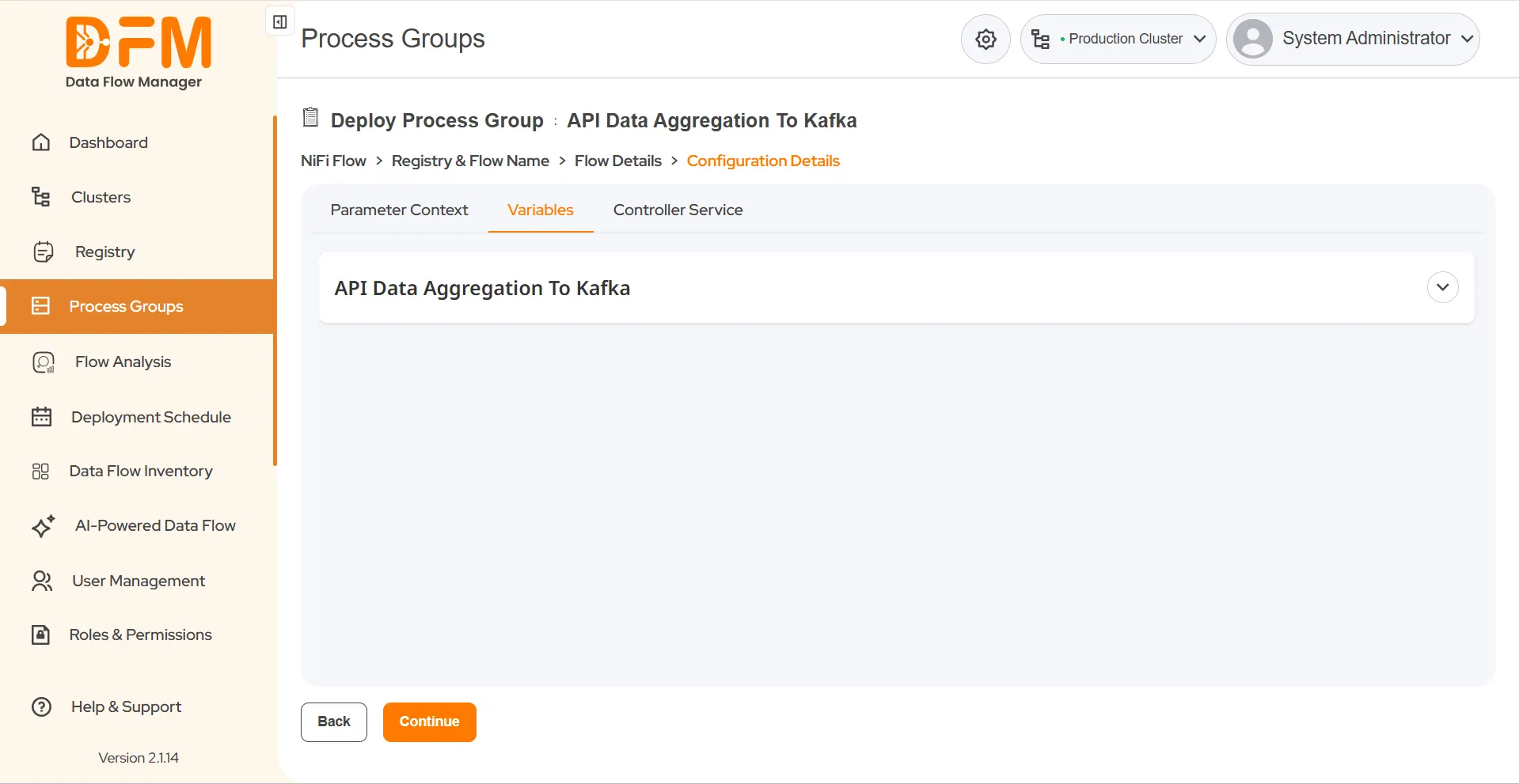
To edit variables:
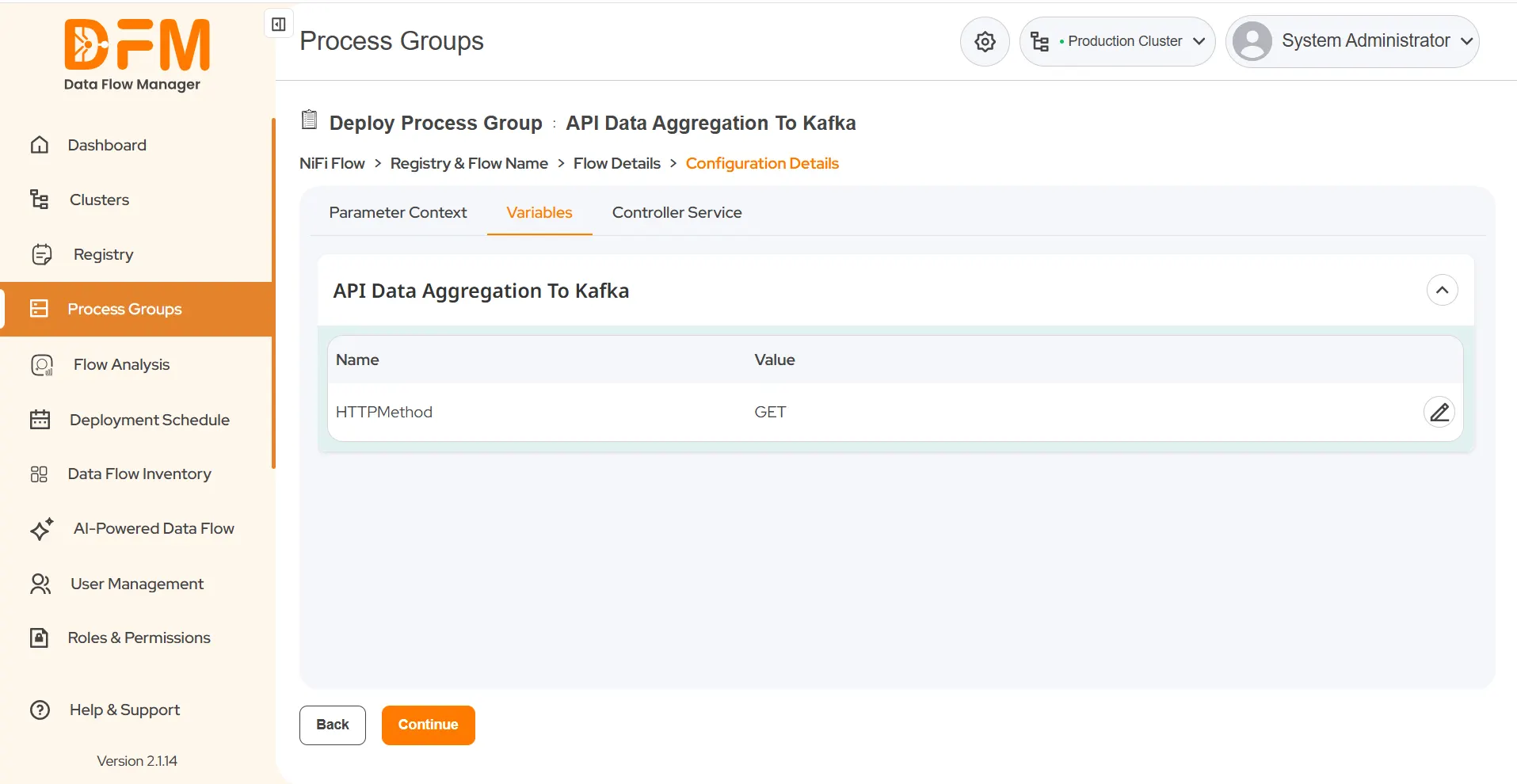
- Go to the Variables tab. You’ll see all variables used by the process group.
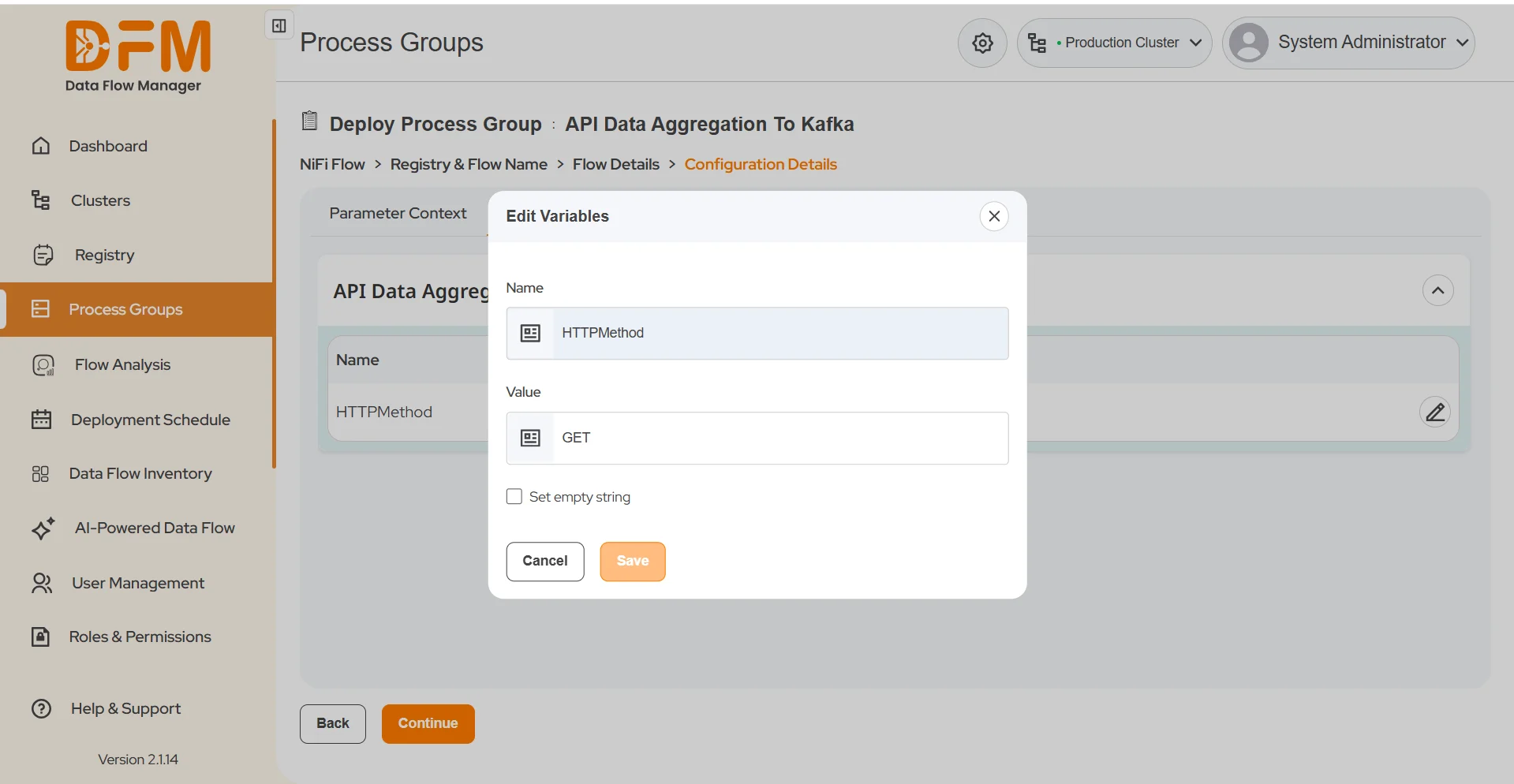
- Choose the one that you want to edit and click the edit icon.
- Modify the value of the variables and click Save.
 1800 121 0218
  +1 (646) 203-1075
  +91 8527471031
 sales@ksolves.com