




Overview
The Activity History tab provides a detailed history of user actions on various entities, including the cluster, process group, registry, and controller service. It includes details such as the action performed on the entity, associated messages, timestamps, status, and the name of the user who performed it.
Filter Activity History
Data Flow Manager lets you filter the activity history based on 3 parameters – Entity, Event, & Status.
Filter the activity history based on the entity
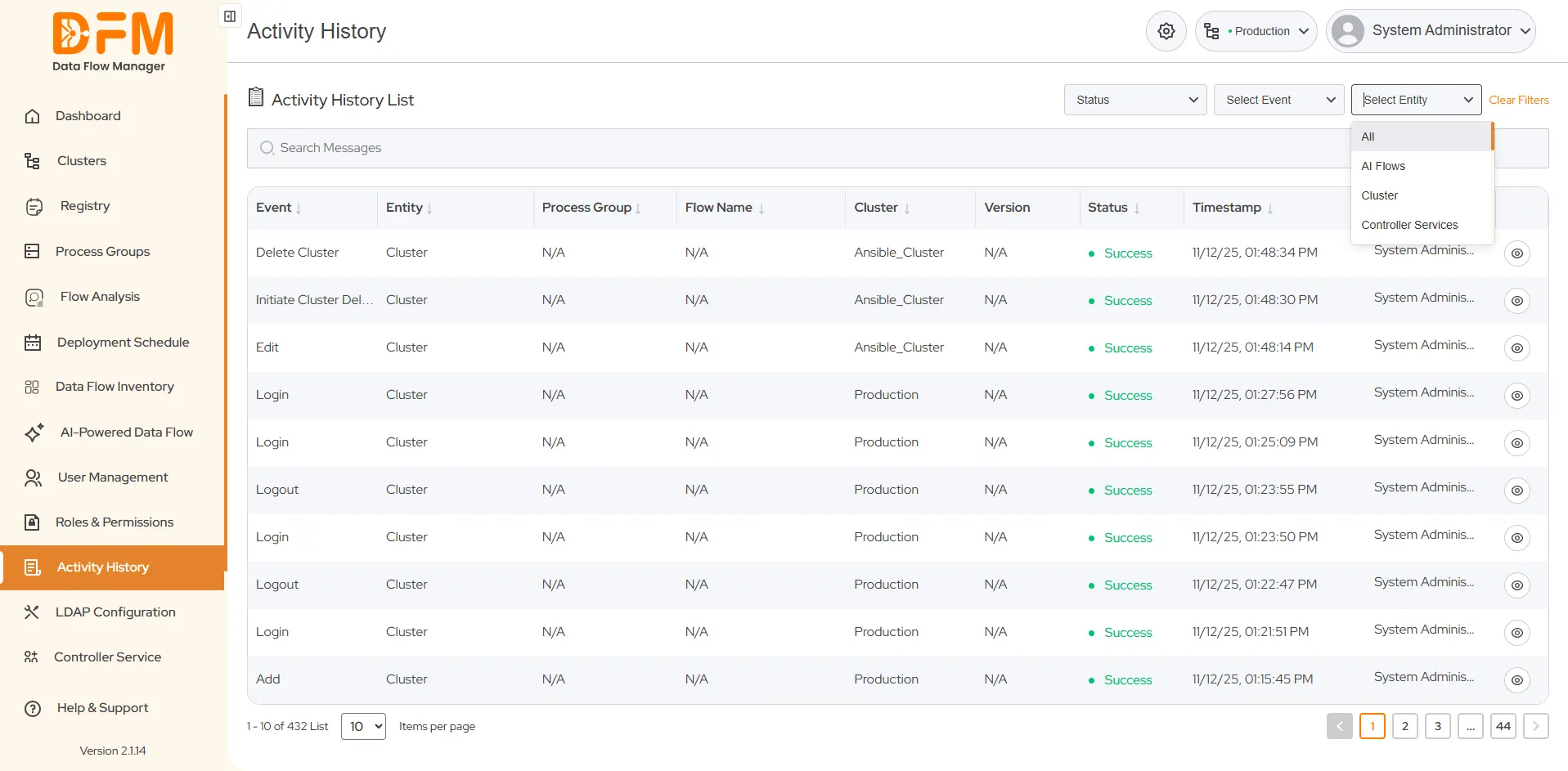
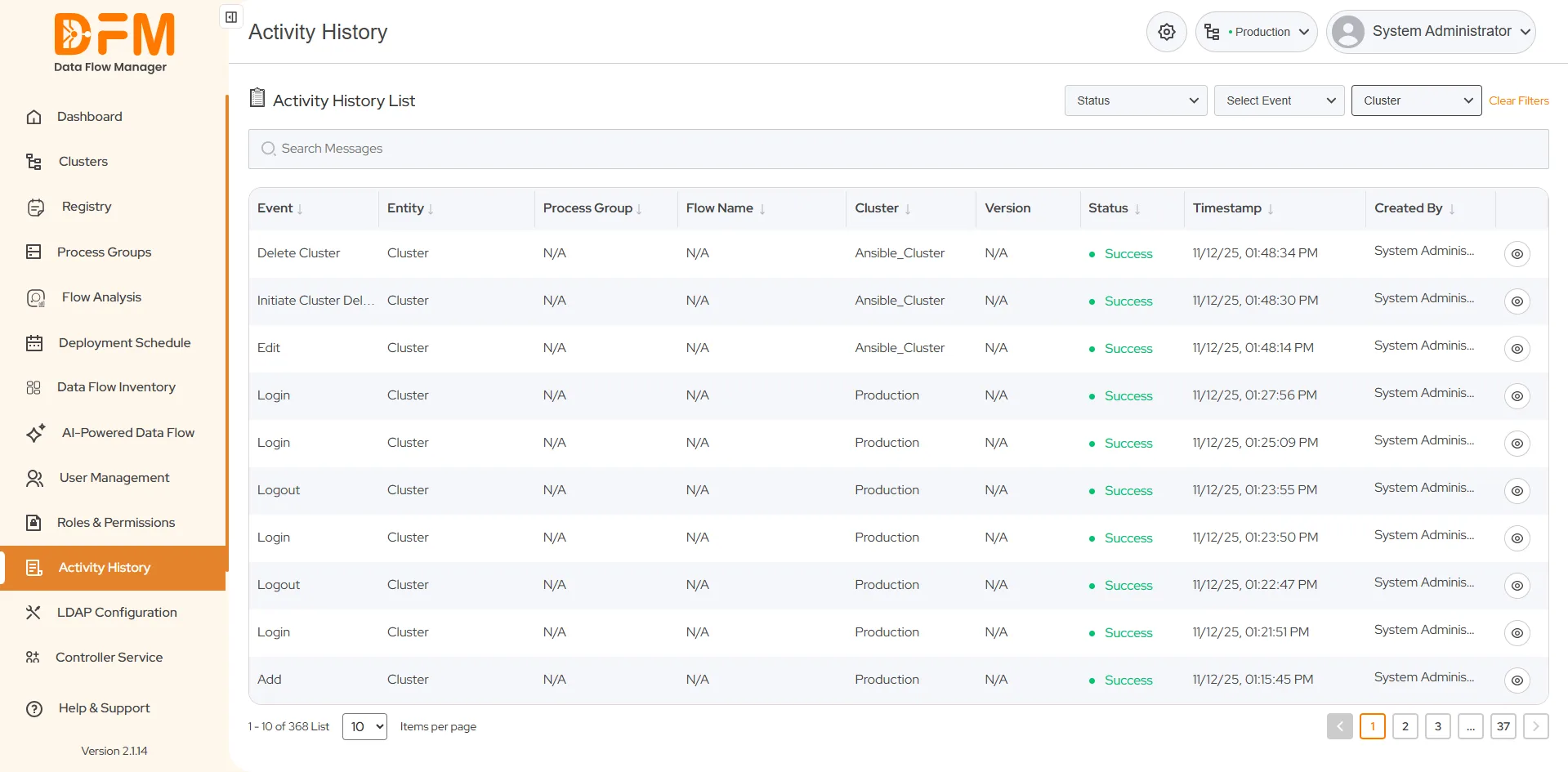
Here, the entities are clusters, process groups, registries, controller services, and users. To filter the activity history based on these entities:
- Go to the Select Entity dropdown present in the top-right corner.
- Choose the required entity to get the activity history accordingly.
Filter the activity history based on the event
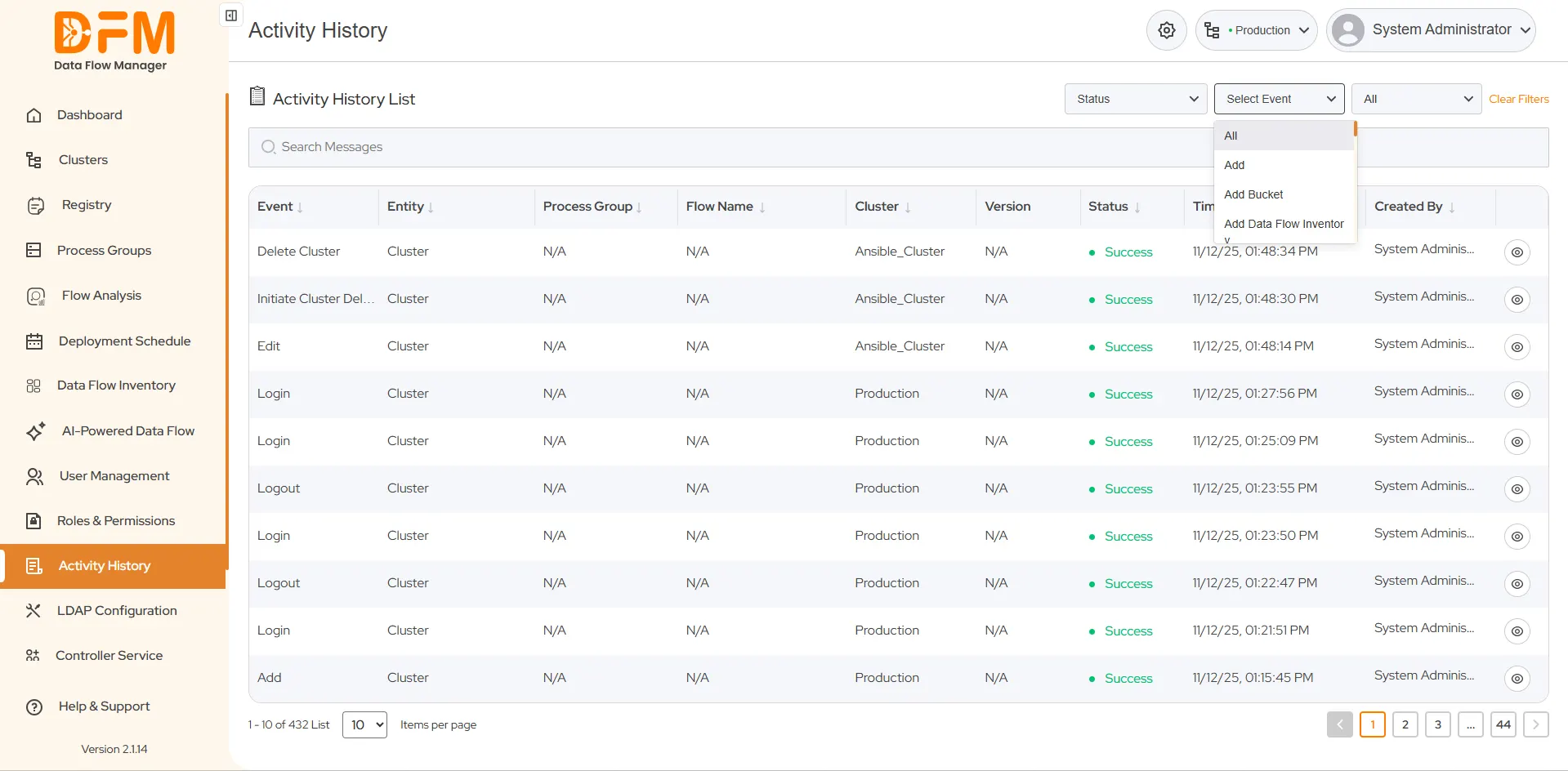
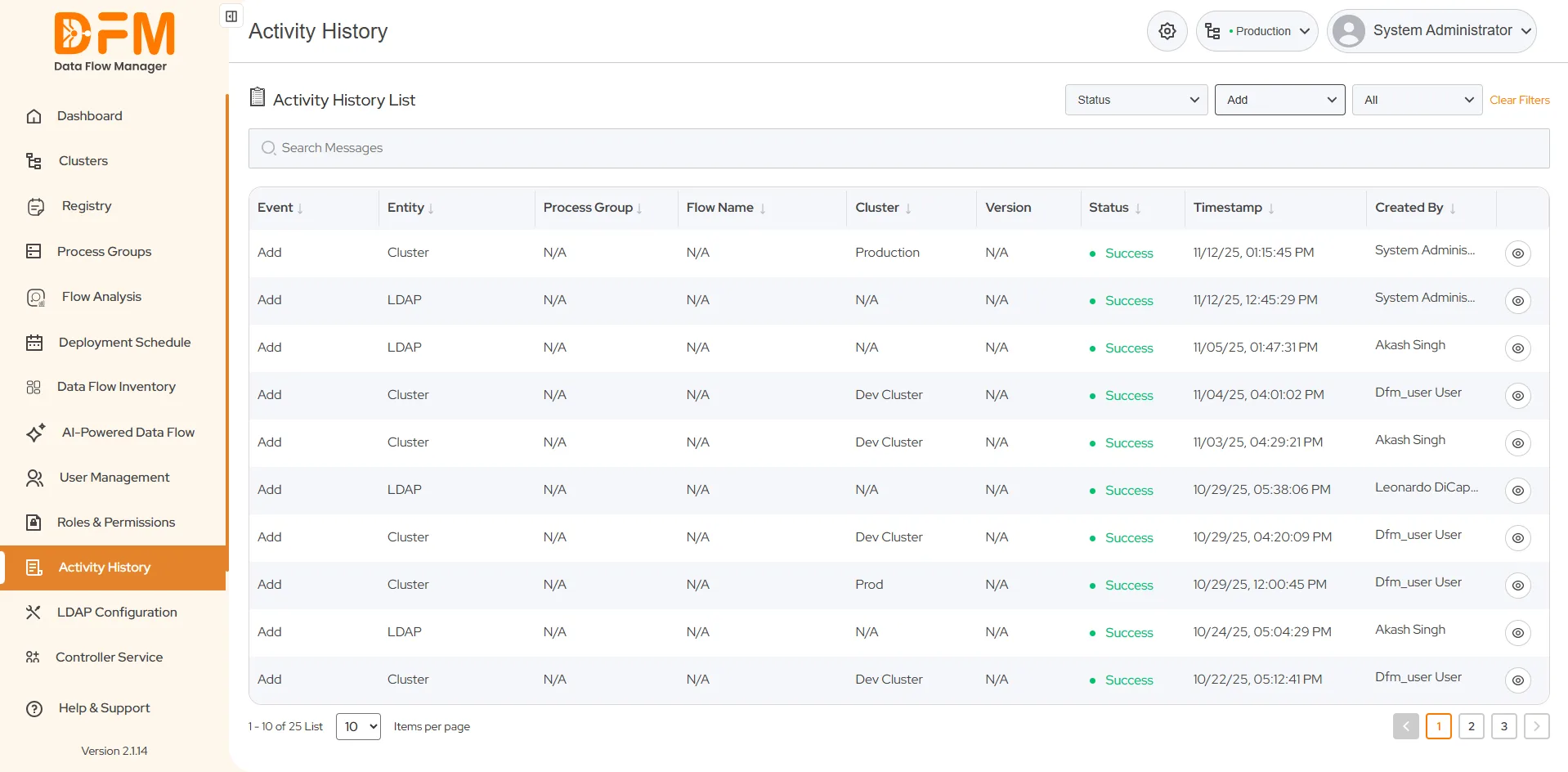
Filter the activity history by actions, like add, delete, deploy, upgrade, etc. To filter the activity history based on event:
- Go to the Select Event dropdown.
- Click the desired event to get the filtered activity history.
Filter the activity history based on the status
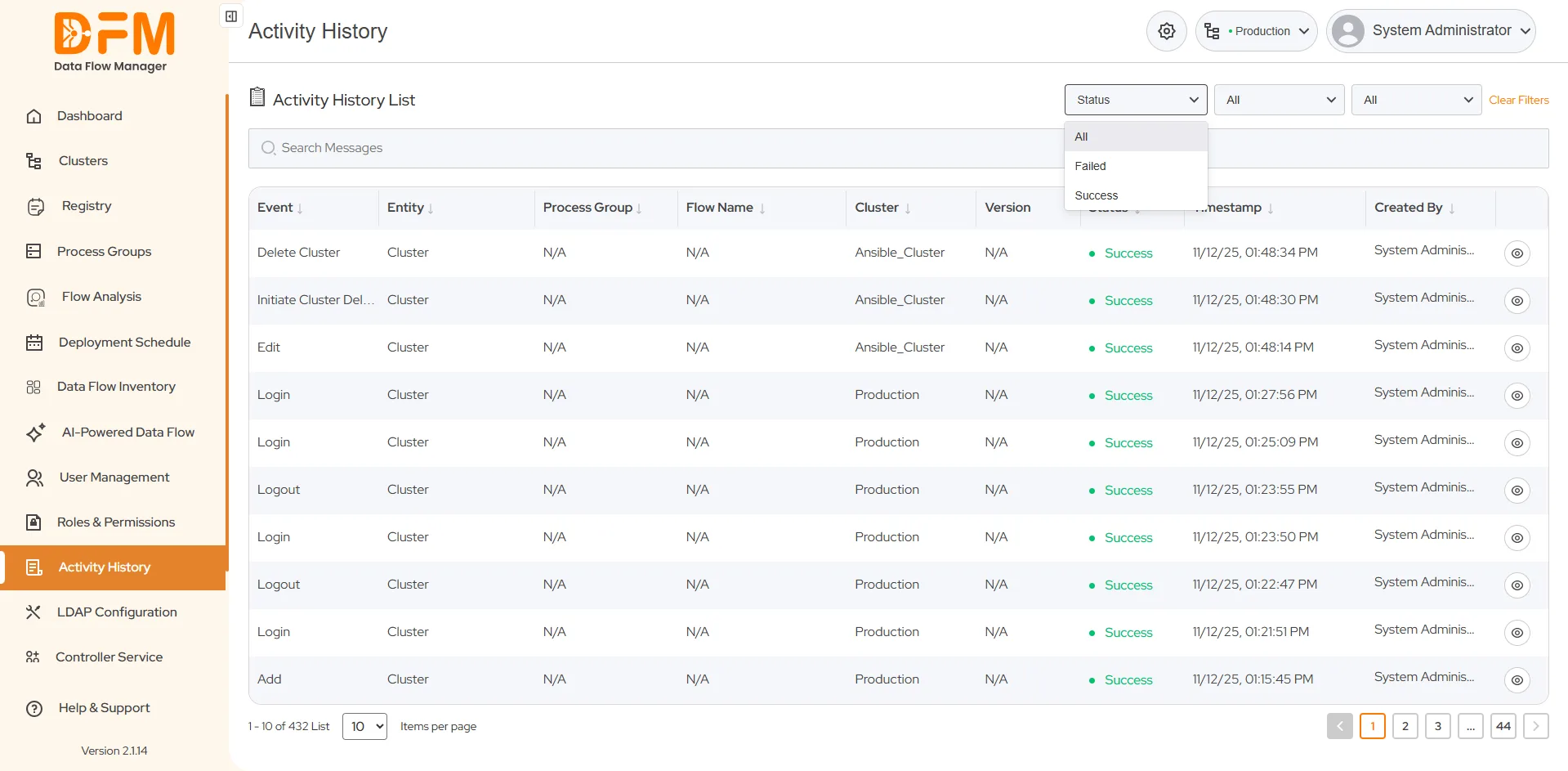
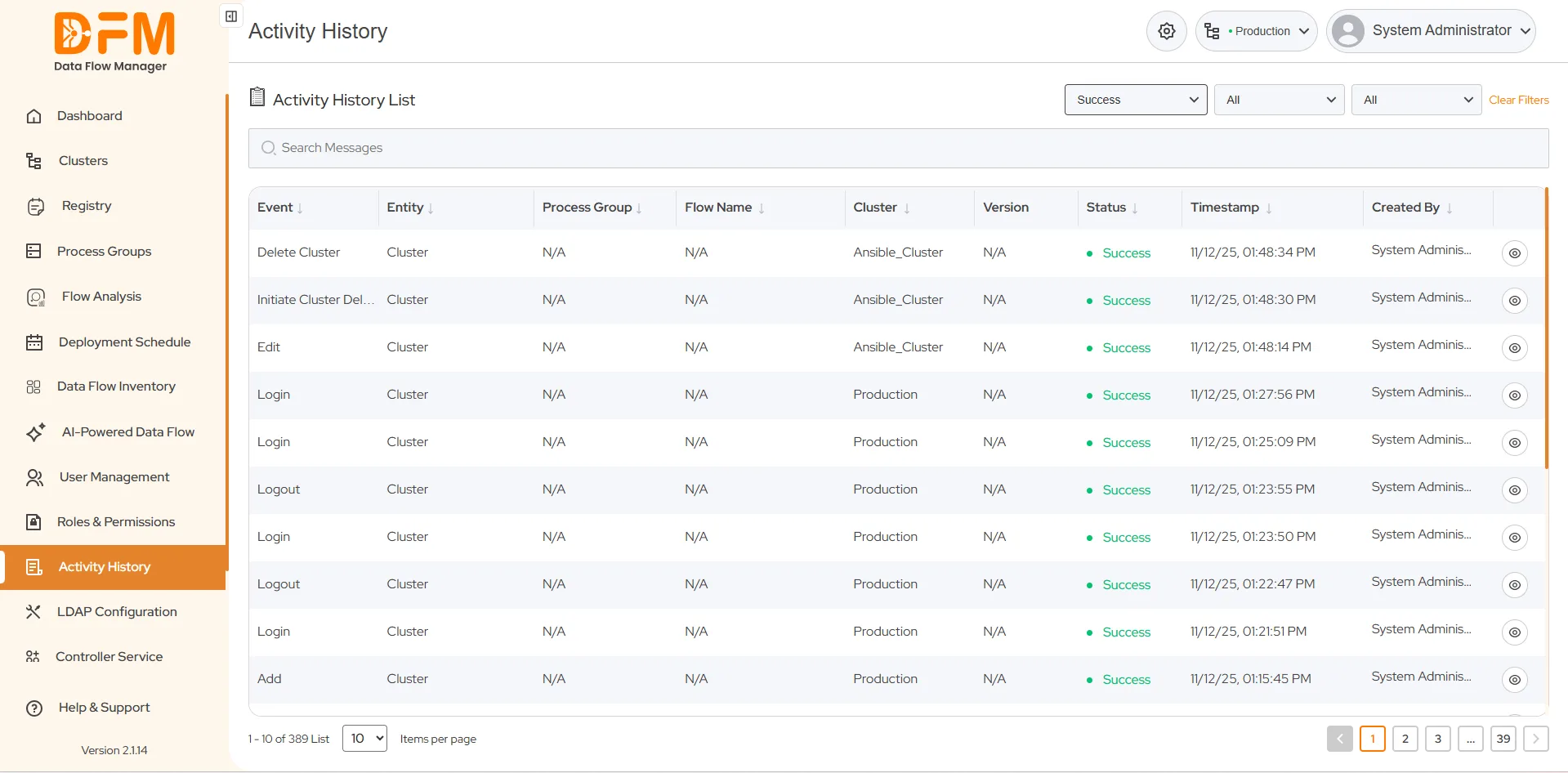
Filter activities based on the event’s status - Success, Failed, or All.
- Go to the Status dropdown.
- Choose whether you want to track activities based on the Failed or Success status.
 1800 121 0218
  +1 (646) 203-1075
  +91 8527471031
 sales@ksolves.com