




How to log in to a specific cluster?
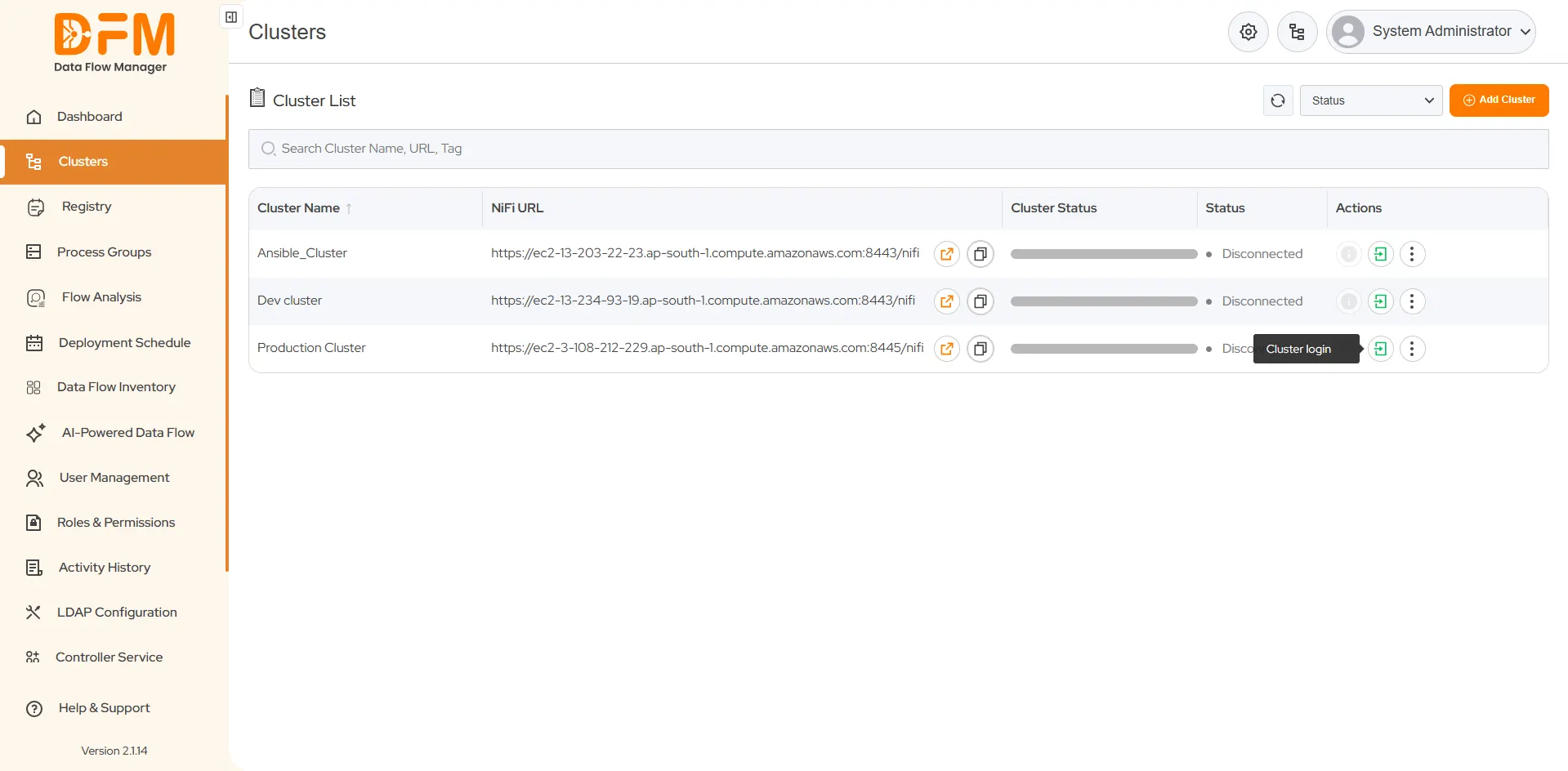
- Click on the Clusters tab to view the list of clusters.
- On the right side of each cluster, you'll find a green arrow indicating the option to log in to that specific cluster.
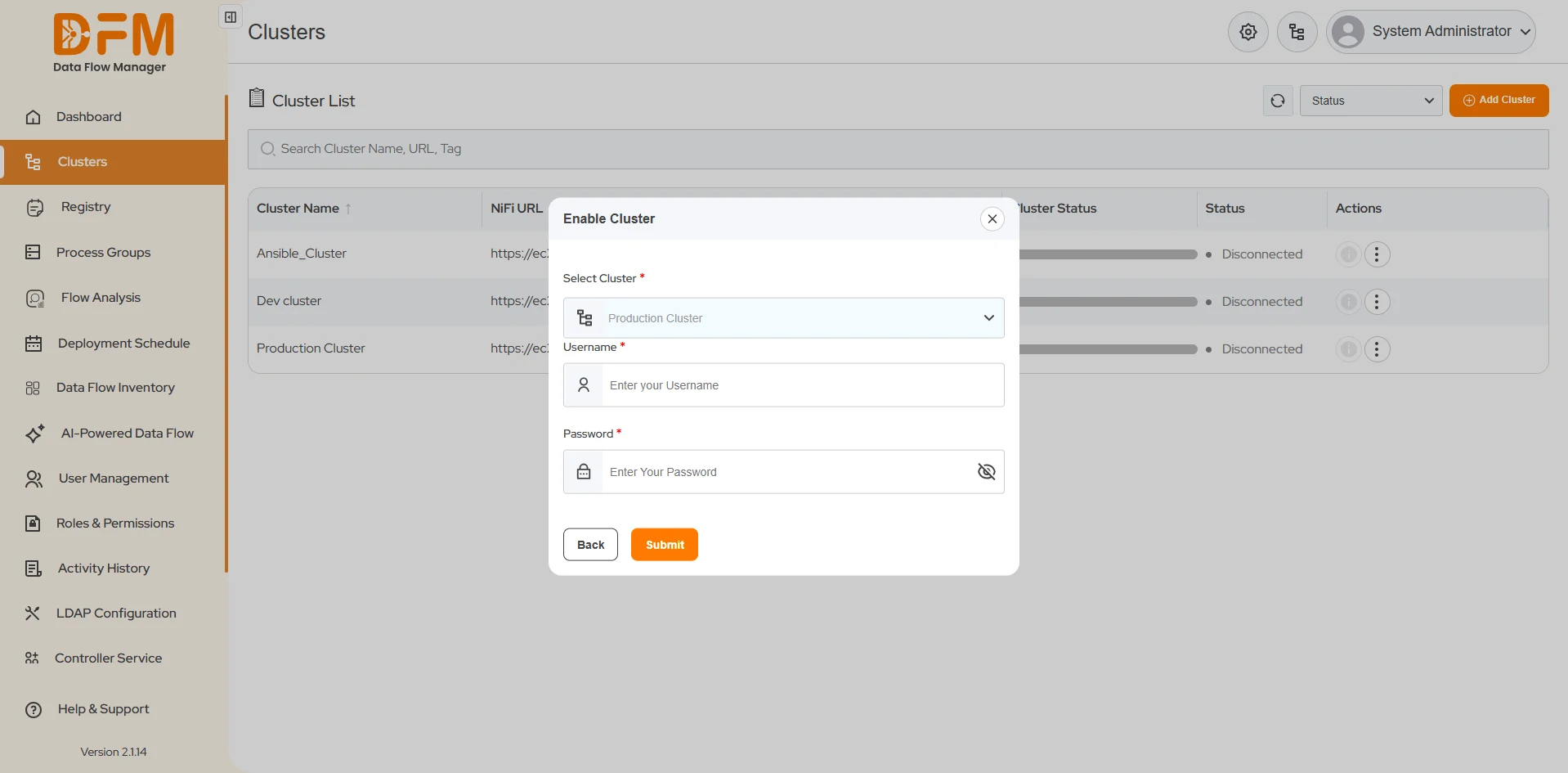
- Click the green arrow for the cluster you need to log in to. Here, we will log in to the Production Cluster.
- Enter the valid credentials and click Submit.
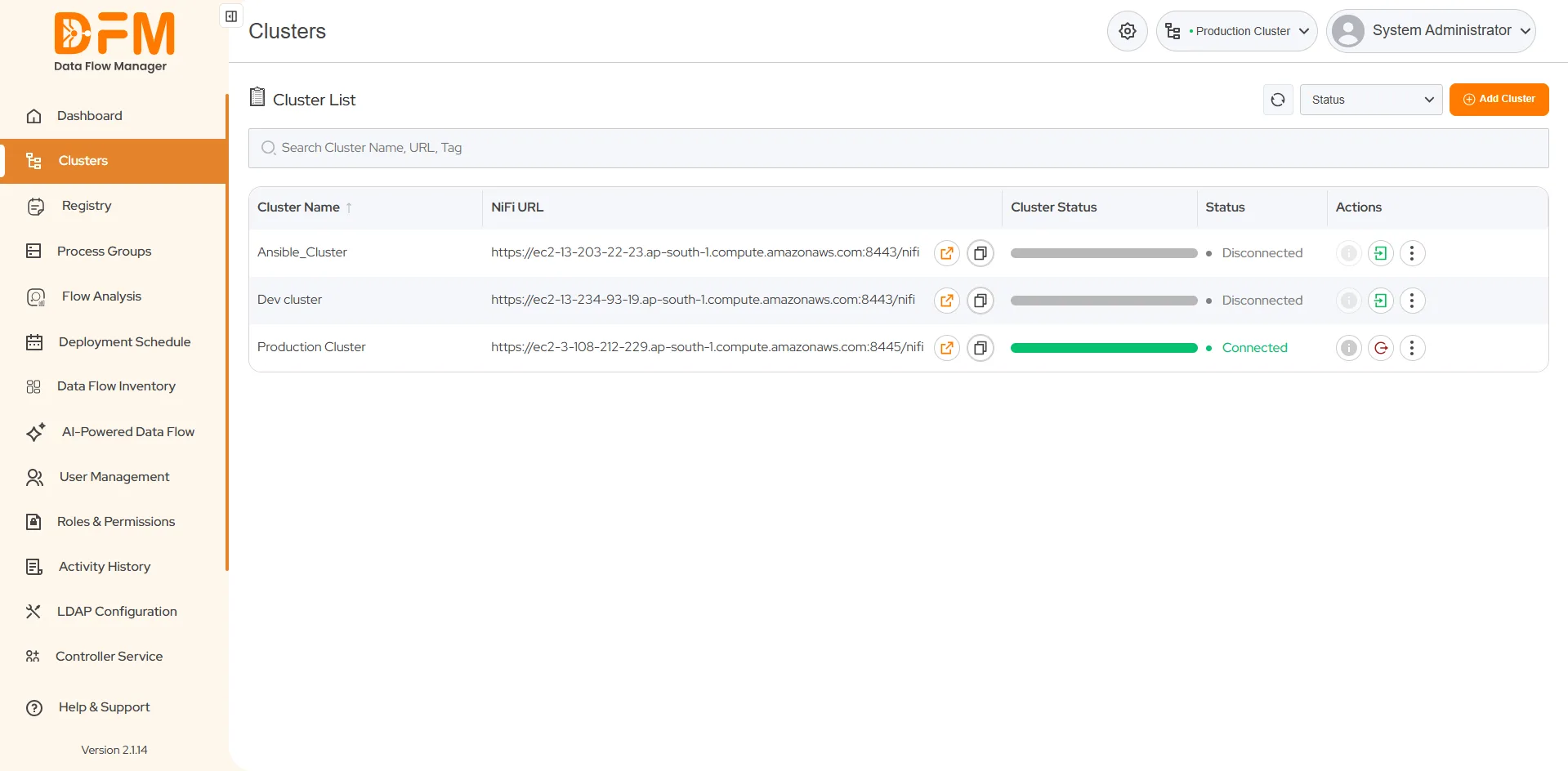
- We’ve successfully logged into the cluster. The Cluster Status has changed to green.
 1800 121 0218
  +1 (646) 203-1075
  +91 8527471031
 sales@ksolves.com