




Filter the list of process groups scheduled for deployment
You can filter the list of process groups scheduled for deployment based on the deployment date, cluster, and deployment status.
Deployment Date
Under the Scheduled Deployment tab:
- Click on Select Date Range.
- Choose the date range (for instance, 1 January 2025 to 10 January 2025).
- Hit Ok.
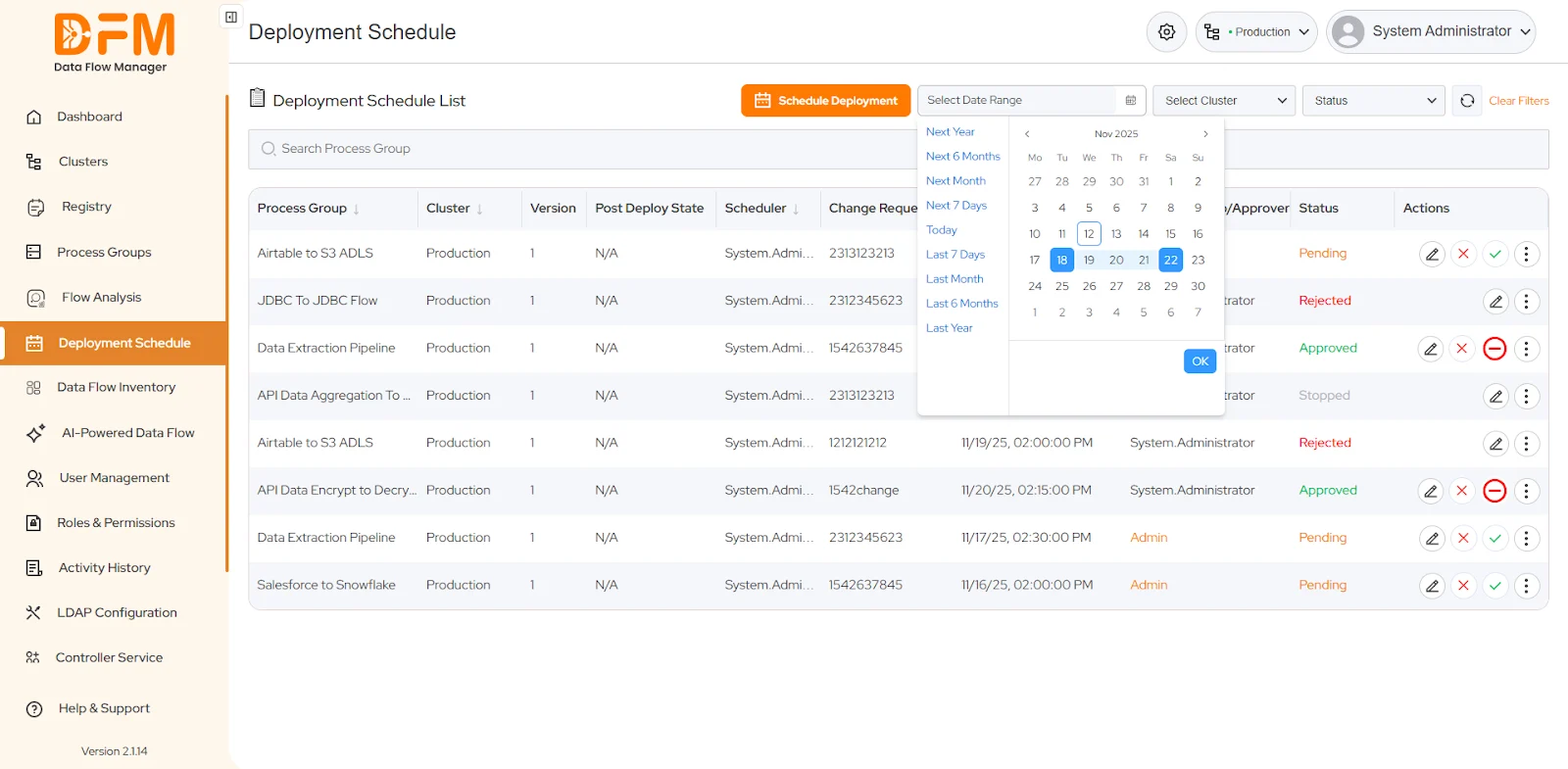
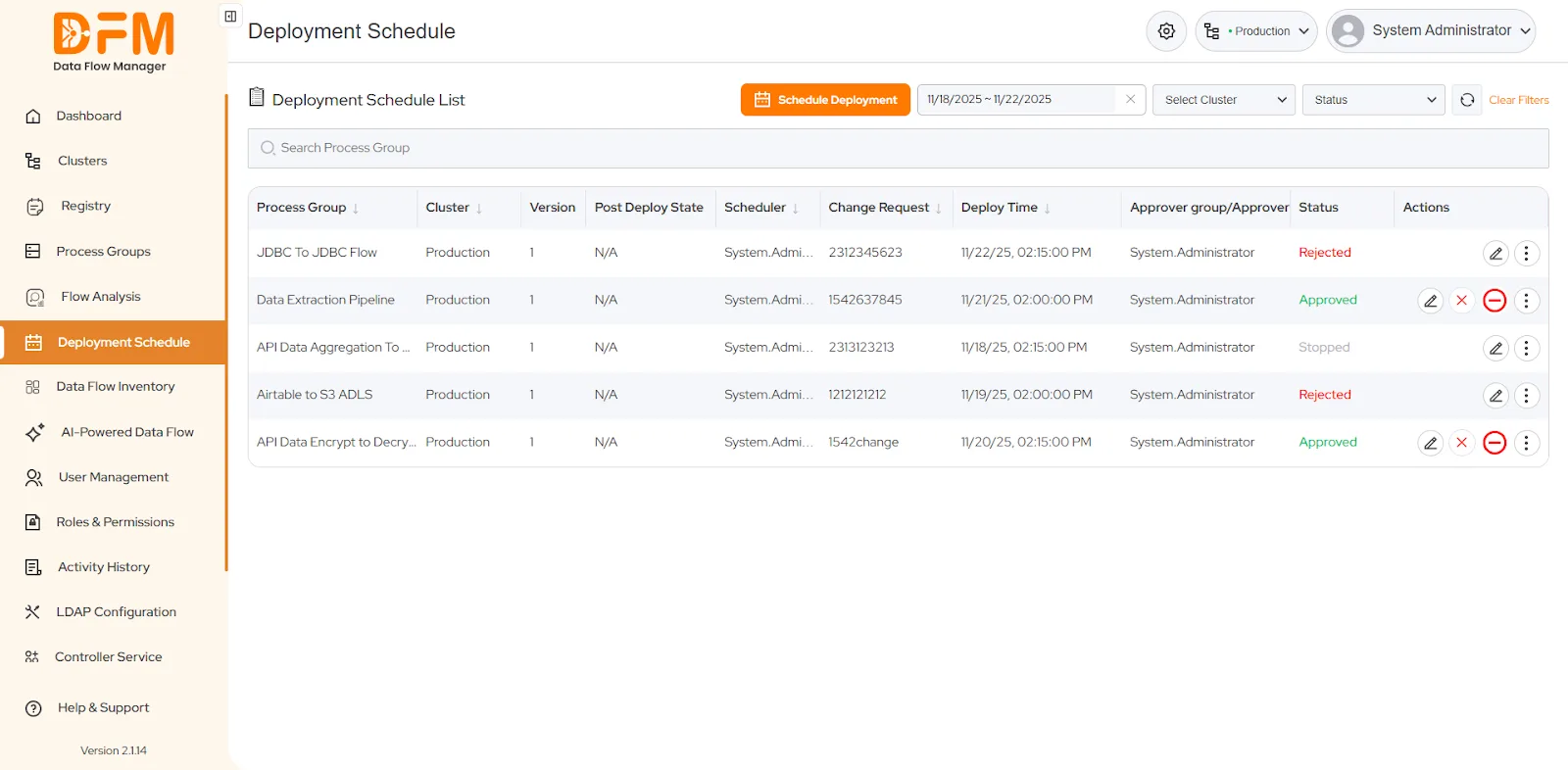
The list of process groups scheduled for deployment during the specified date range will appear.
Cluster
On the same tab:
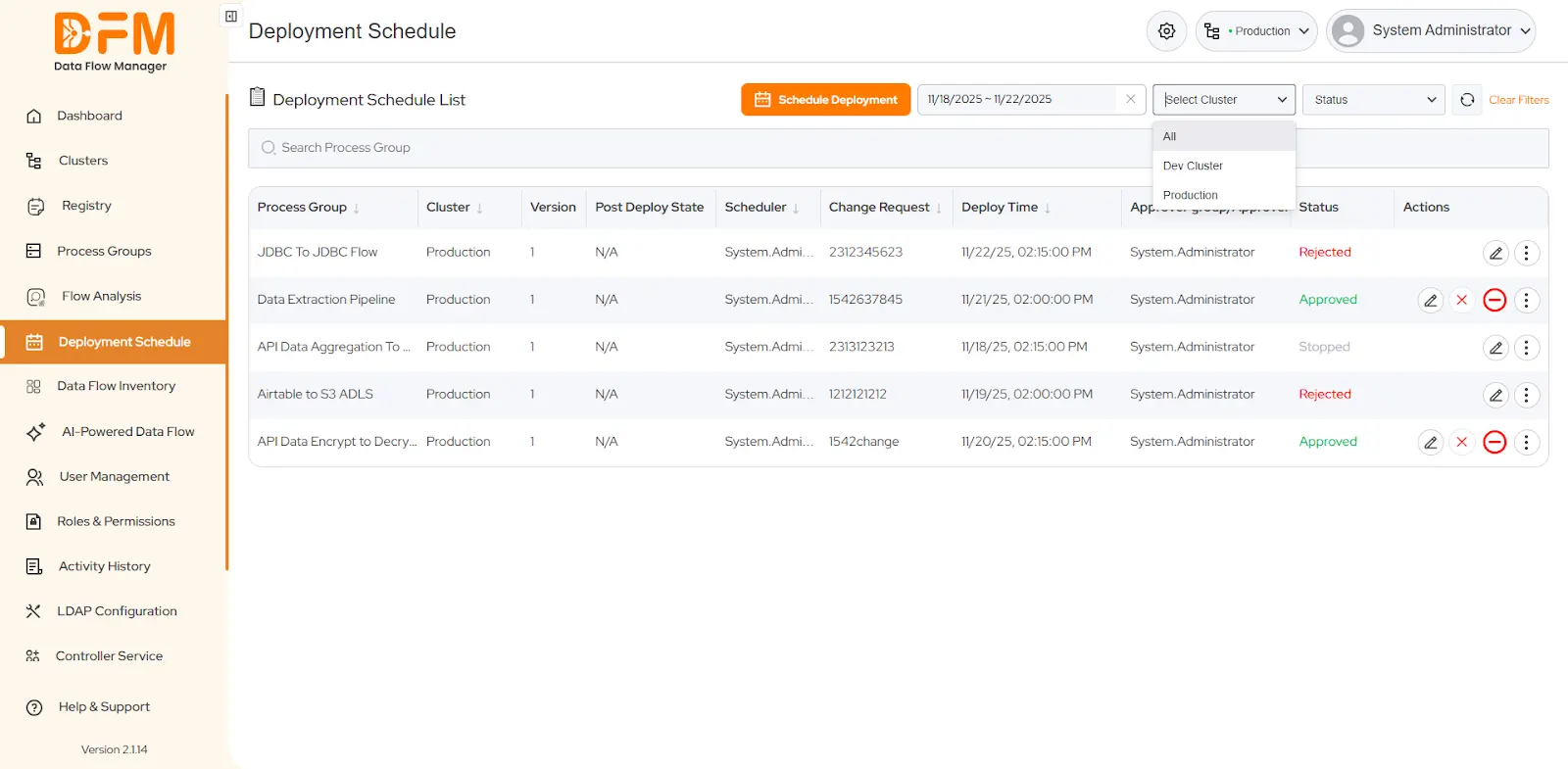
- Go to the Select Cluster dropdown present in the top-right corner.
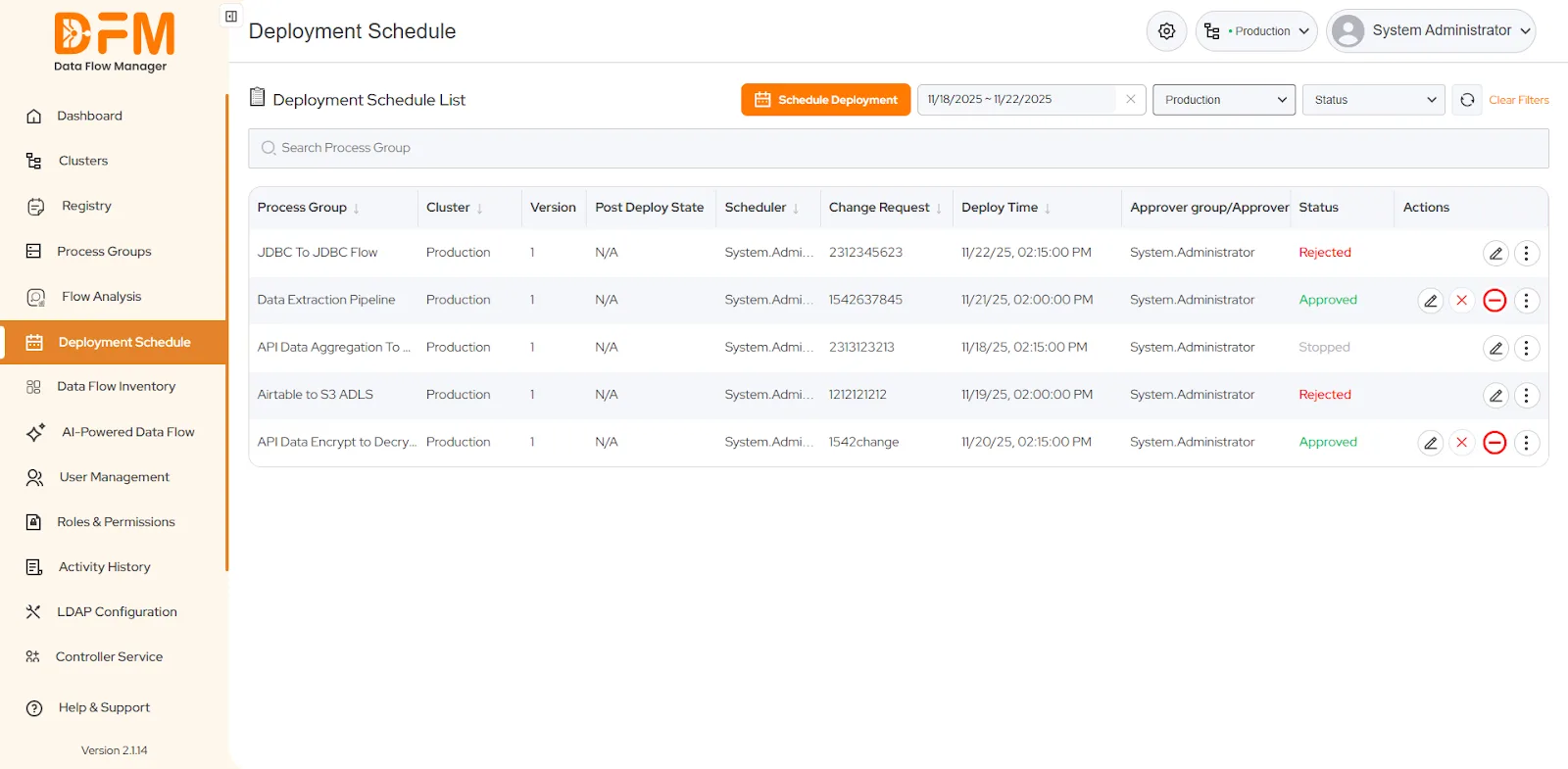
- Select the cluster whose process groups you want to display. We have chosen Production Cluster.
- The entire list of process groups in that cluster appears.
Deployment Status
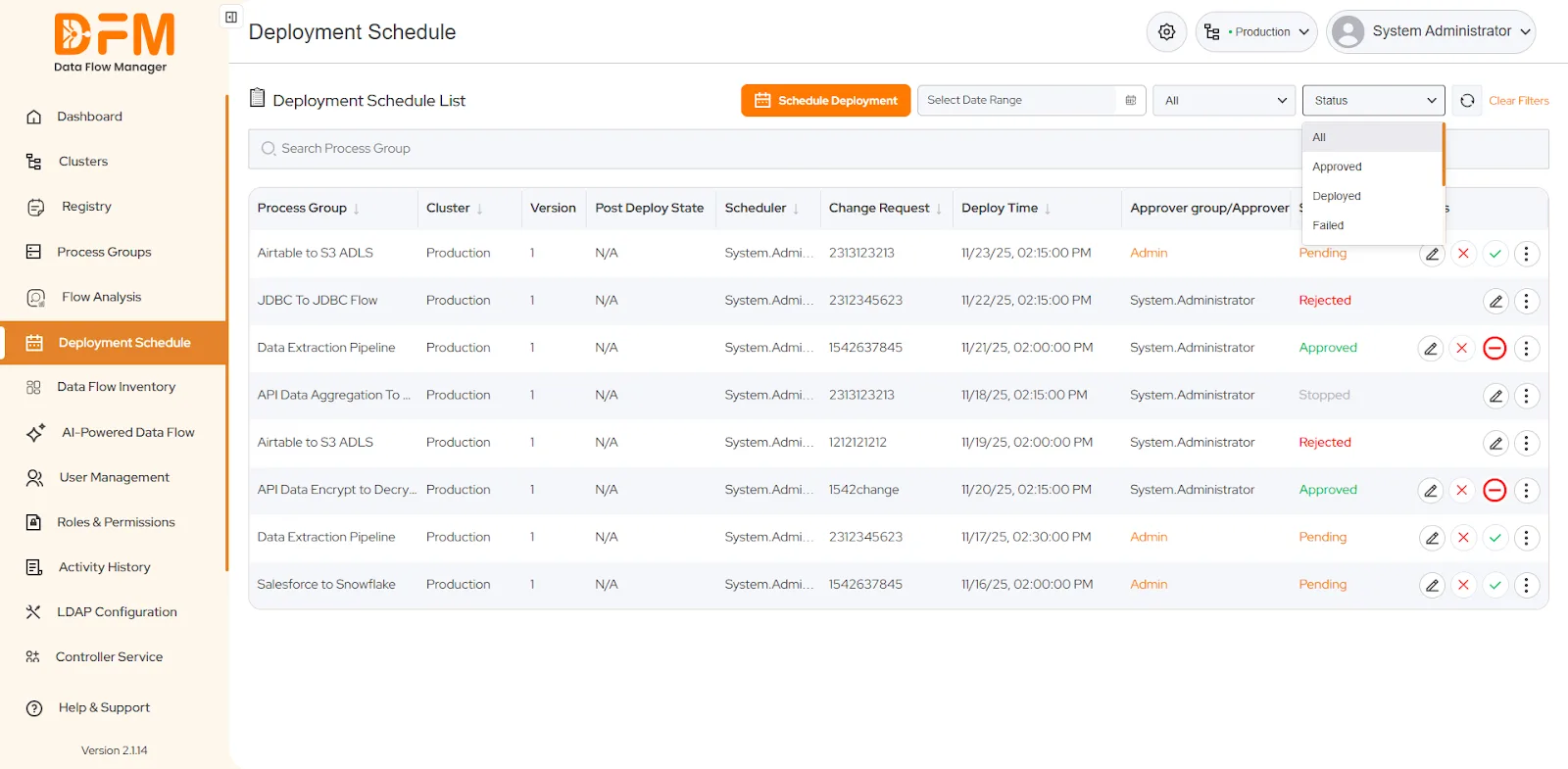
To filter the process group list based on the deployment status:
- Go to the dropdown named Status in the top-right corner of the Deployment Schedule tab.
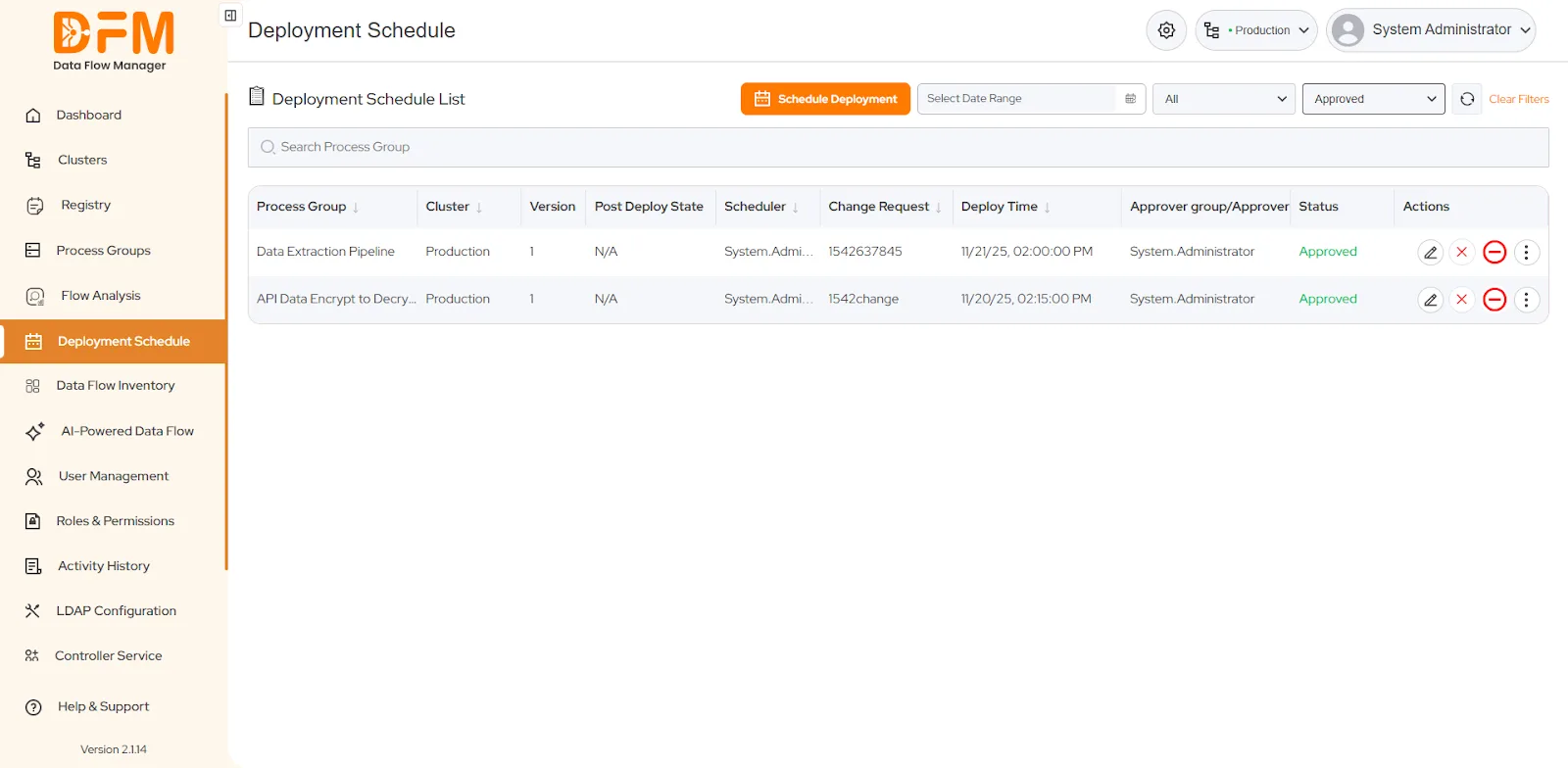
- Choose one from the deployment status – Approved, Not Approved, Failed, Pending, Rejected, Stopped, and Time Lapsed.
- Here, we’ve chosen the Approved status.
 1800 121 0218
  +1 (646) 203-1075
  +91 8527471031
 sales@ksolves.com