




Overview
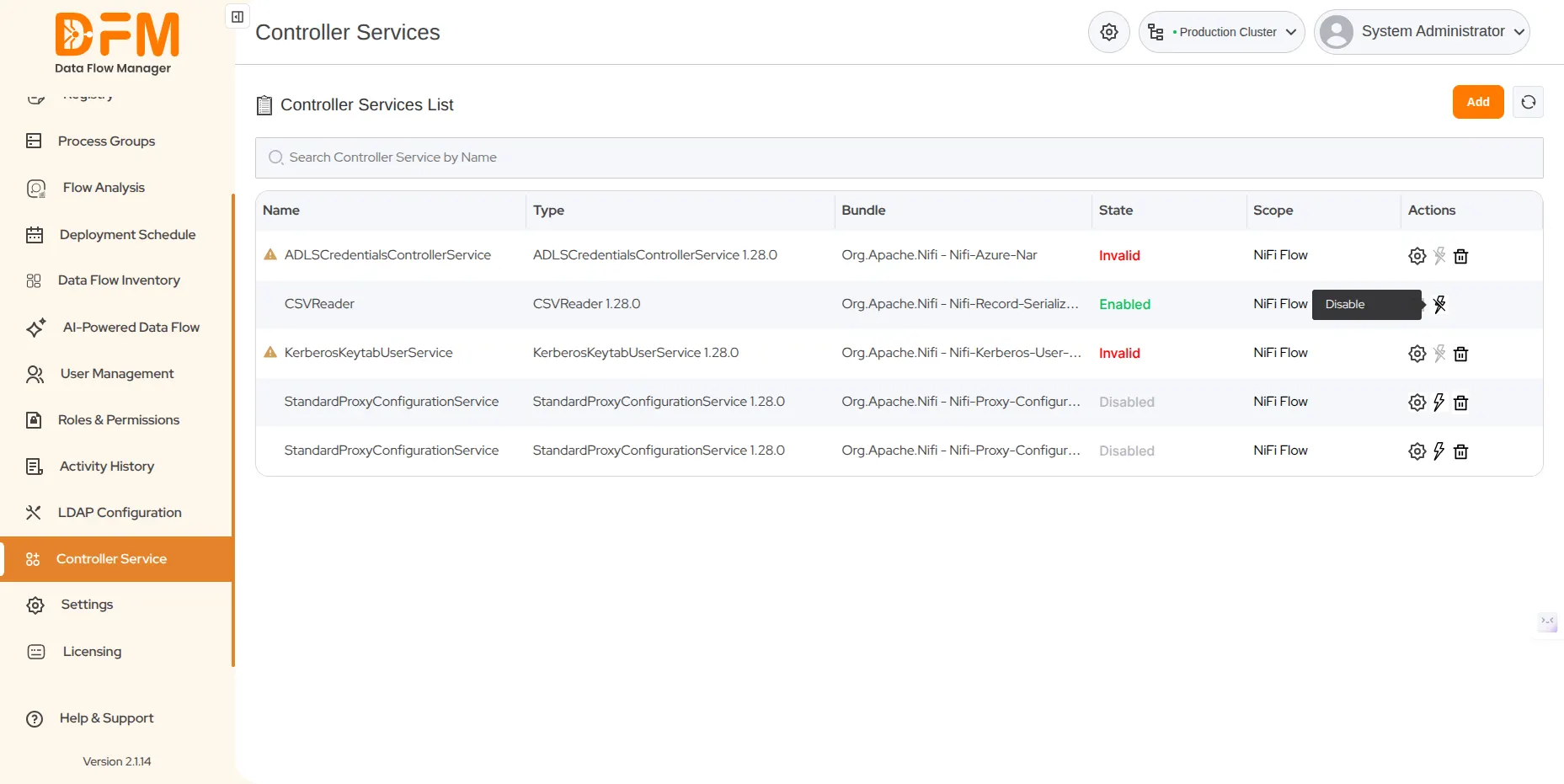
The Controller Service tab offers a central platform for managing all controller services in the system. This view conveniently displays essential information for each service, including its name, type, bundle, state, and scope. Users can efficiently configure, enable, or disable these services, which are shared across various components within a process group. This centralized control ensures enhanced consistency and improved resource management throughout the data flows.
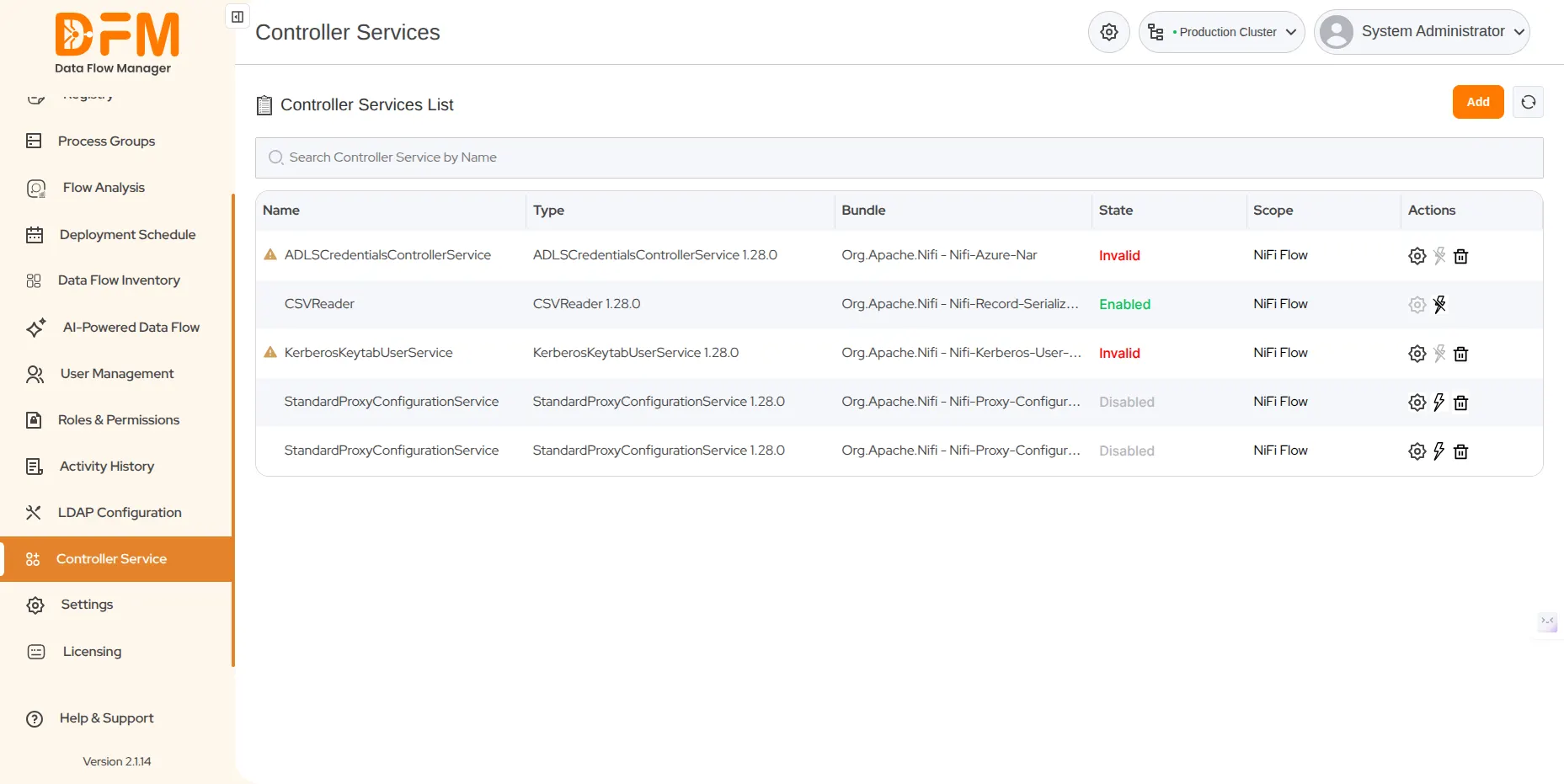
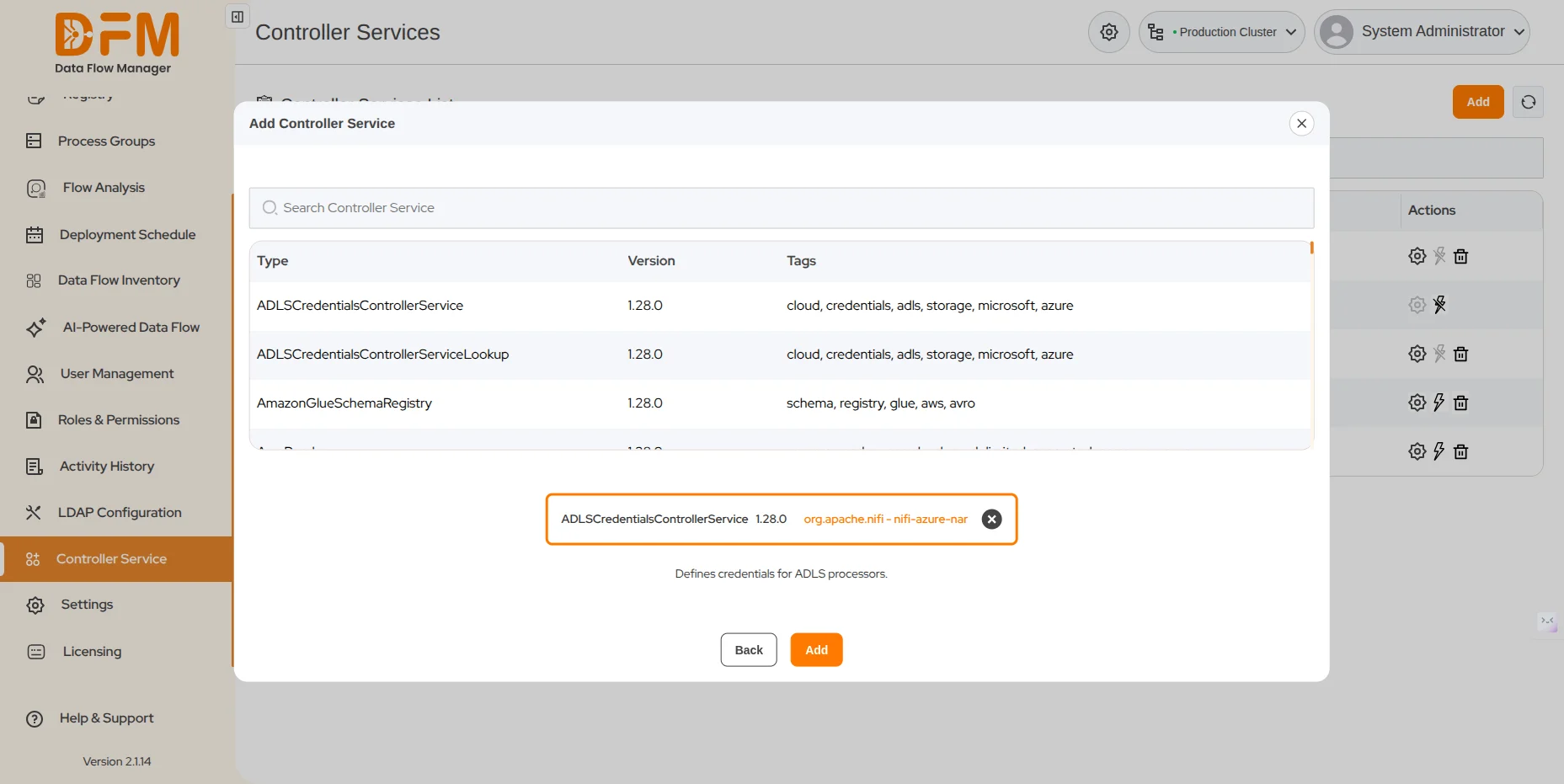
1. Add a new controller service
Under the Controller Service tab
- Click the Add button in the top-right corner.
- Search for the controller service using the search bar or click one from the list. Finally, hit the Add button.
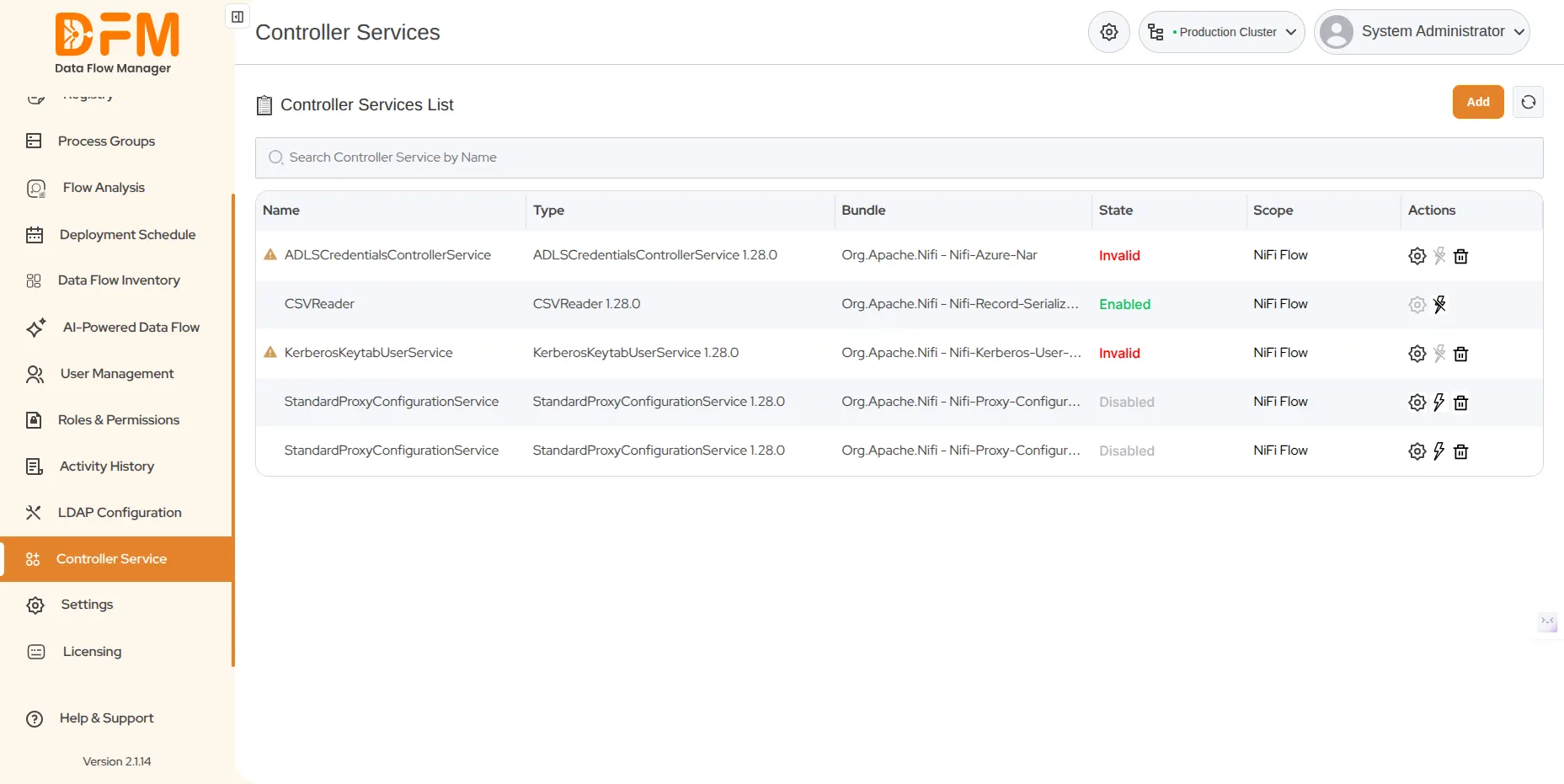
2. Update the properties of an existing controller service
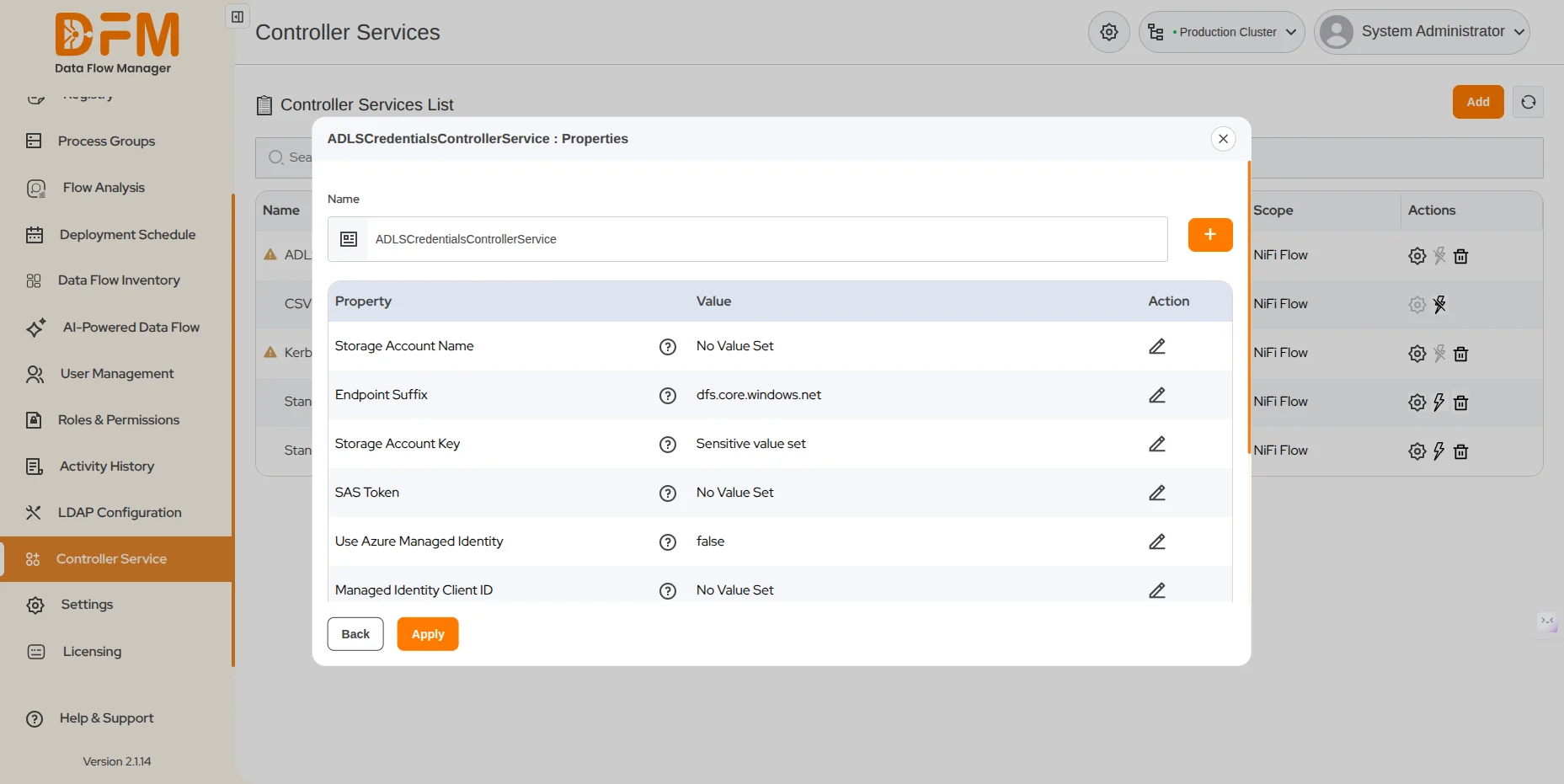
To update the properties of a controller service:
- Click the corresponding Settings icon under the Actions columns.
- Edit the values of the properties by clicking on the edit icon, and hit the Apply button.
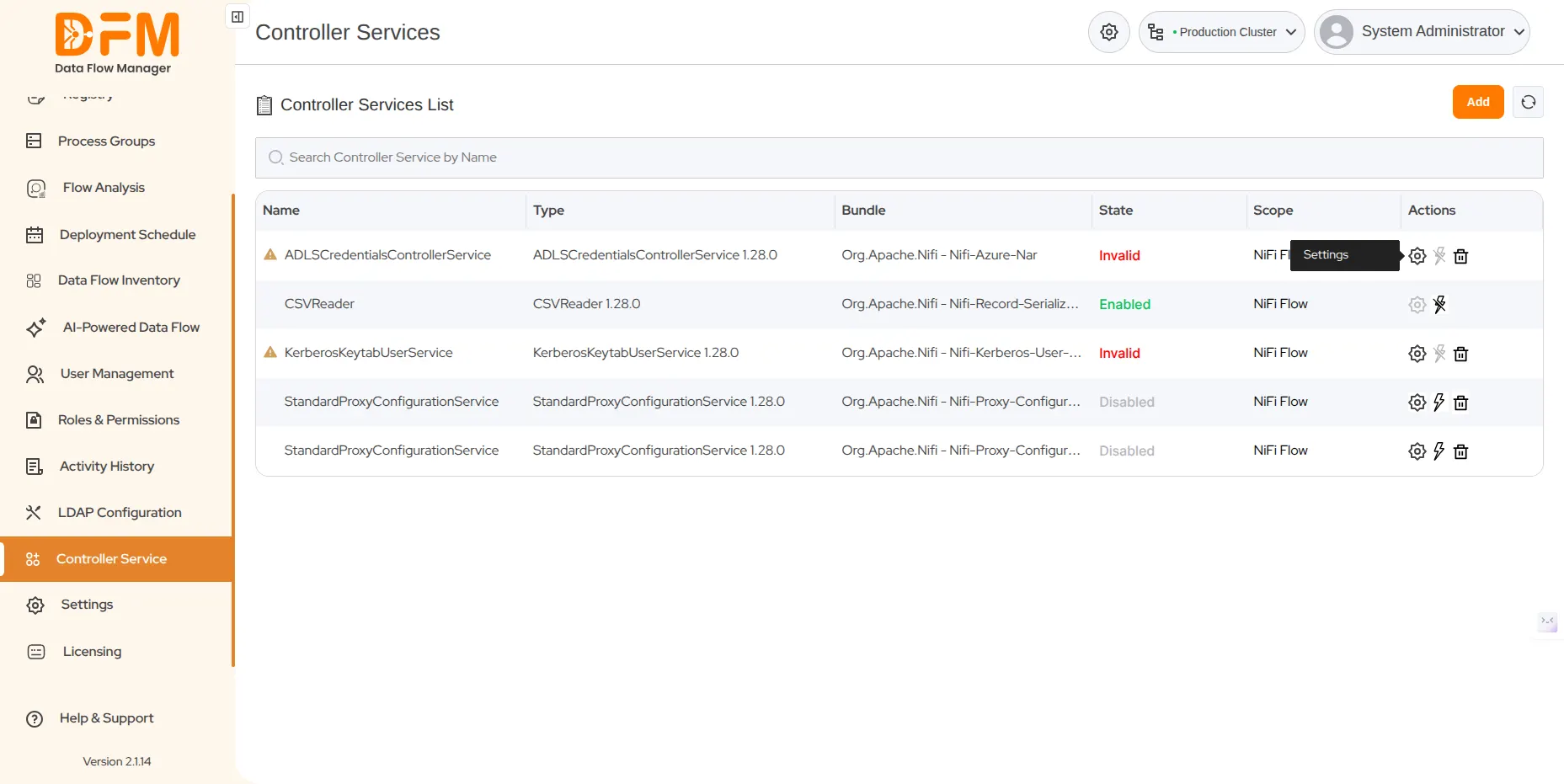
3. Enable or Disable a controller service
To enable or disable a controller service, click on the lightning icon. The controller service will be enabled or disabled accordingly.
 1800 121 0218
  +1 (646) 203-1075
  +91 8527471031
 sales@ksolves.com