




AI-Powered Data Flow
The AI-Powered Data Flow feature enables users to generate Apache NiFi data flows (JSON) using natural language queries. Leveraging AI, the system translates user intent into valid NiFi flow definitions, streamlining flow creation. It enhances the user experience by offering intelligent suggestions, flow previews, editing capabilities, storage options, and seamless deployment workflows through integration with the NiFi Registry.
Follow these steps:
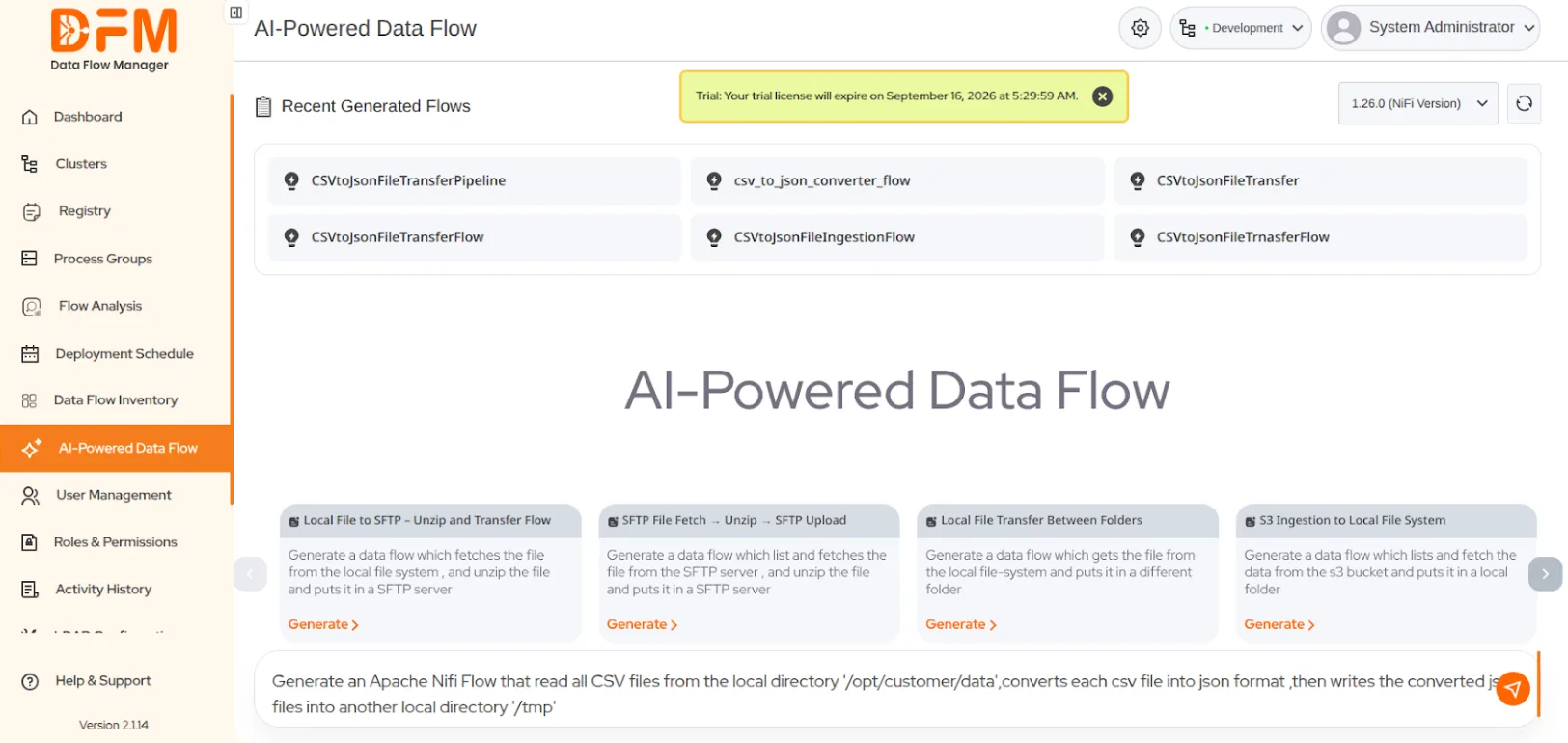
- Navigate to the AI-Powered Data Flow.
- Enter a prompt describing the Data Flow you want to generate for deployment, or select one from the available suggestions.
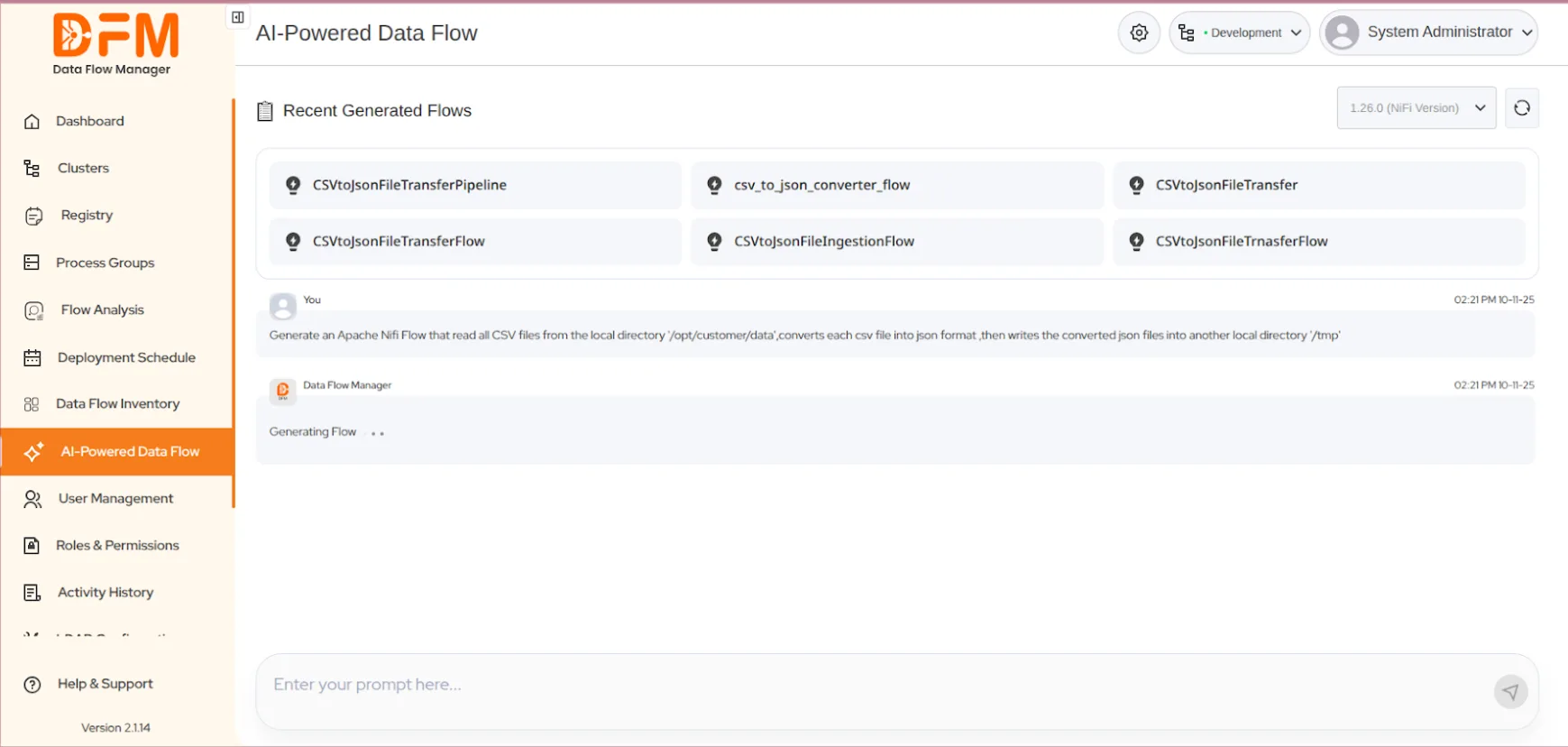
- Once the prompt is entered, the system will automatically begin generating the corresponding Data Flow.
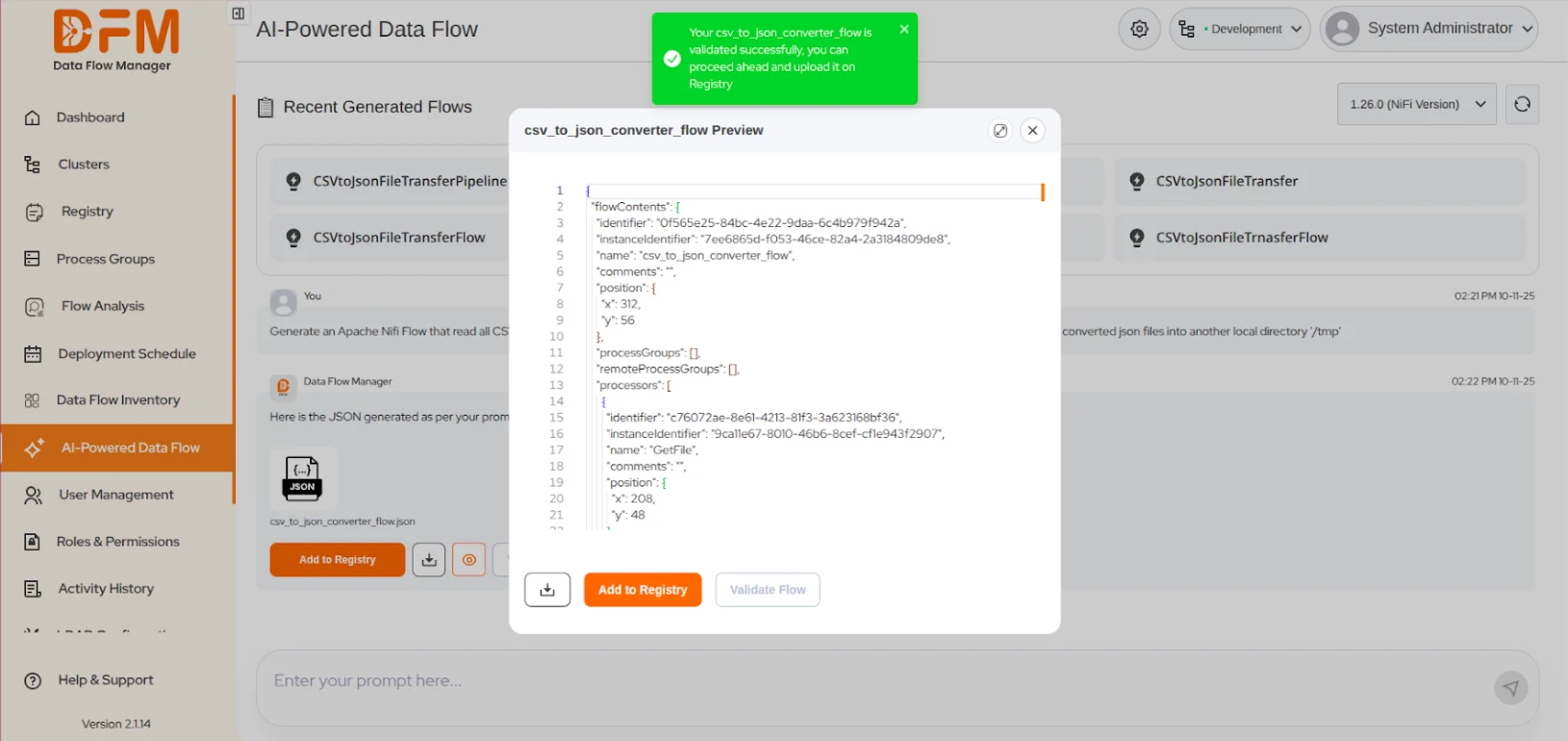
- After generating the flow, the JSON Editor will appear, displaying the Data Flow in JSON format and providing options for editing and refinement.
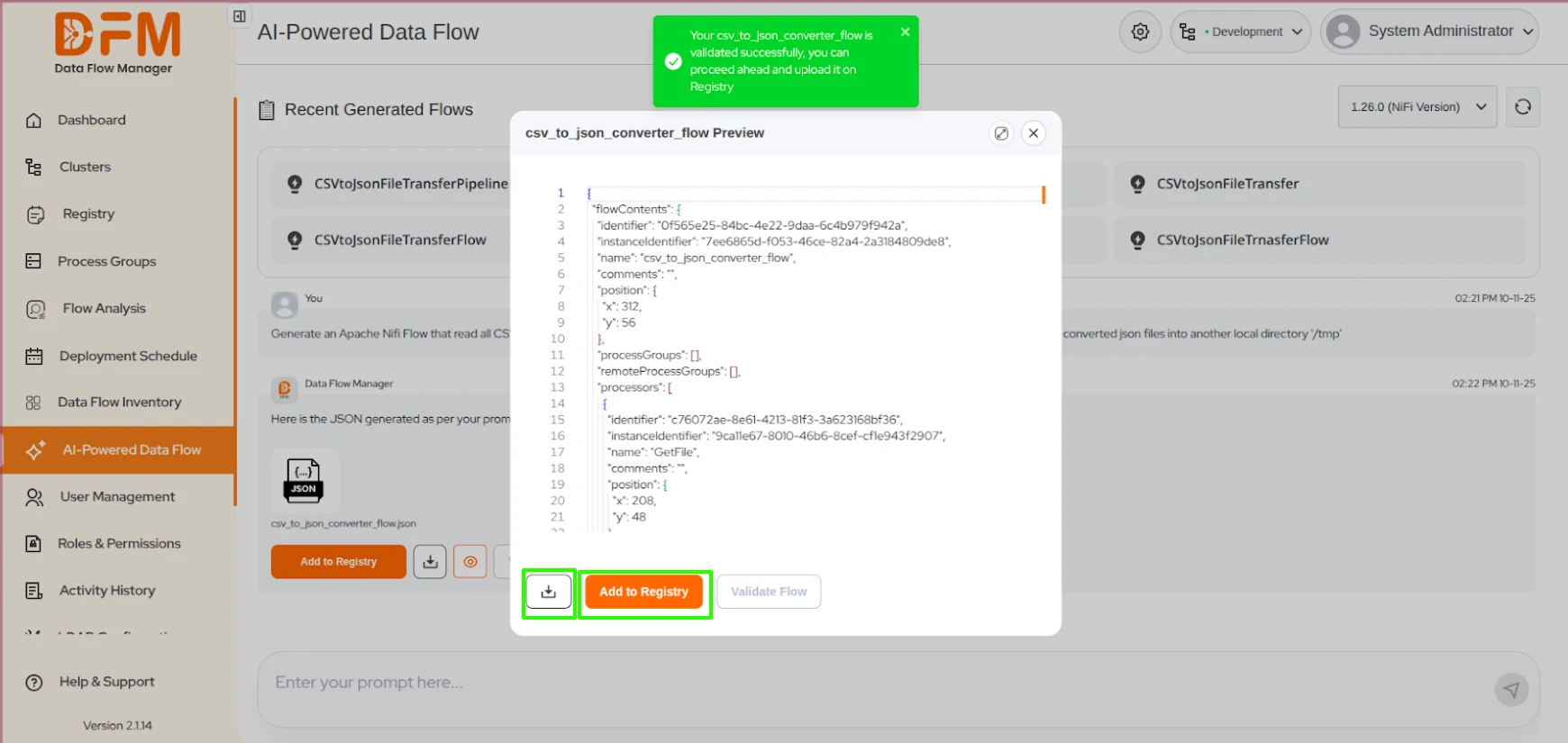
- The JSON can be modified as required and validated via the Validate JSON button. After validation, it may be added to a NiFi Registry bucket or downloaded.
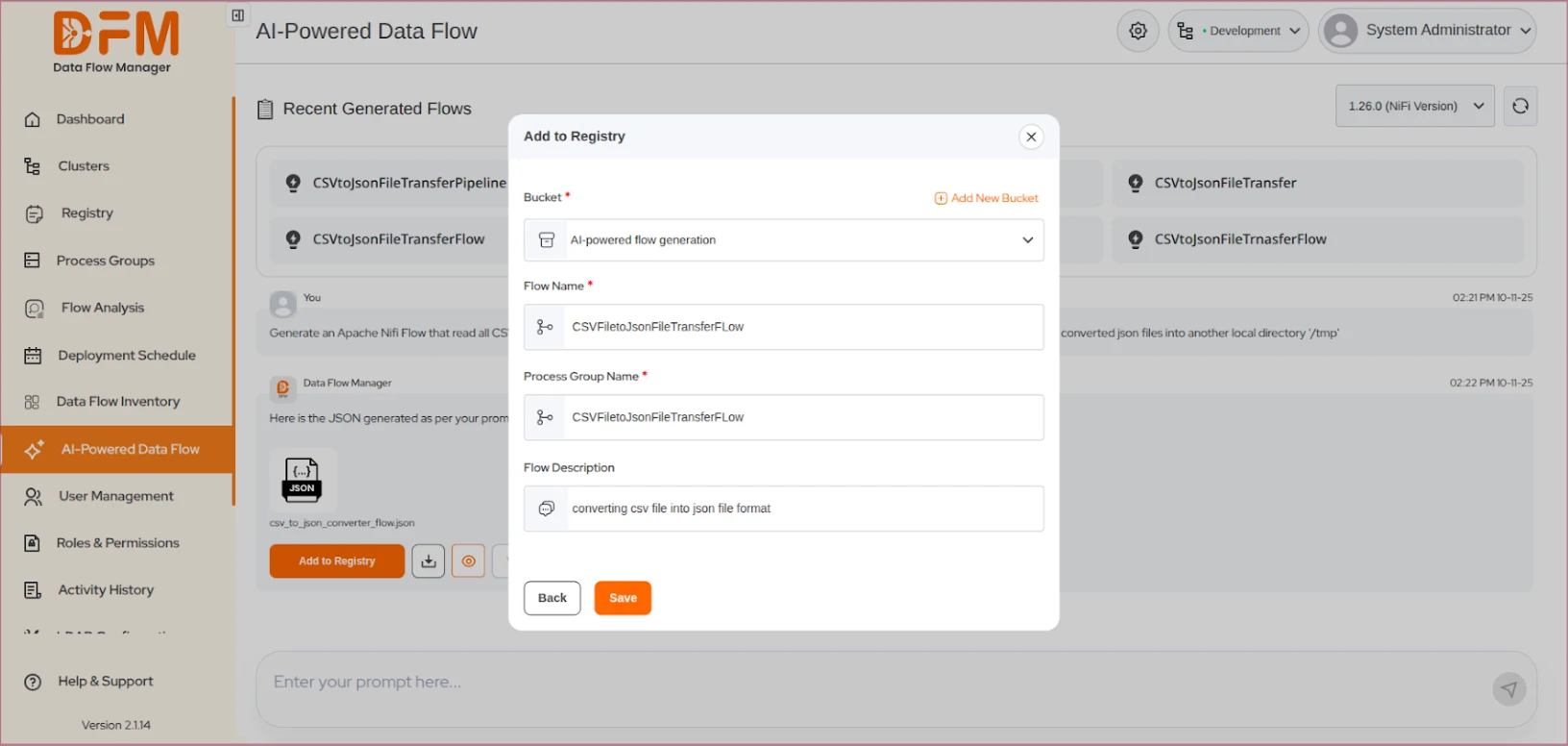
- To add a Data Flow to the NiFi Registry, click Add To Registry. Complete the form by specifying the target bucket, flow name, process group name, and a short flow description.
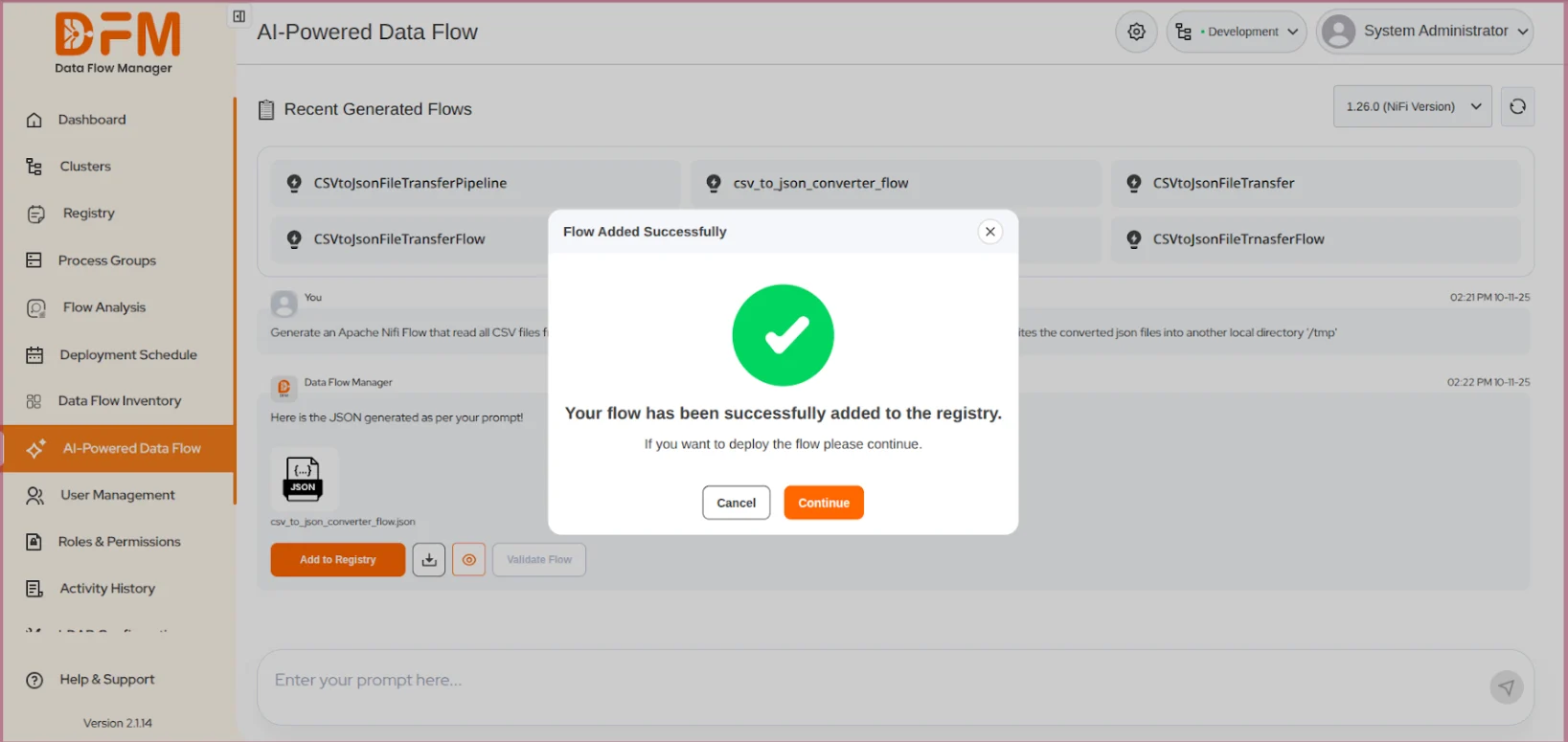
- After completing all registry details, a confirmation message will appear indicating successful addition.
 1800 121 0218
  +1 (646) 203-1075
  +91 8527471031
 sales@ksolves.com