




View process group details
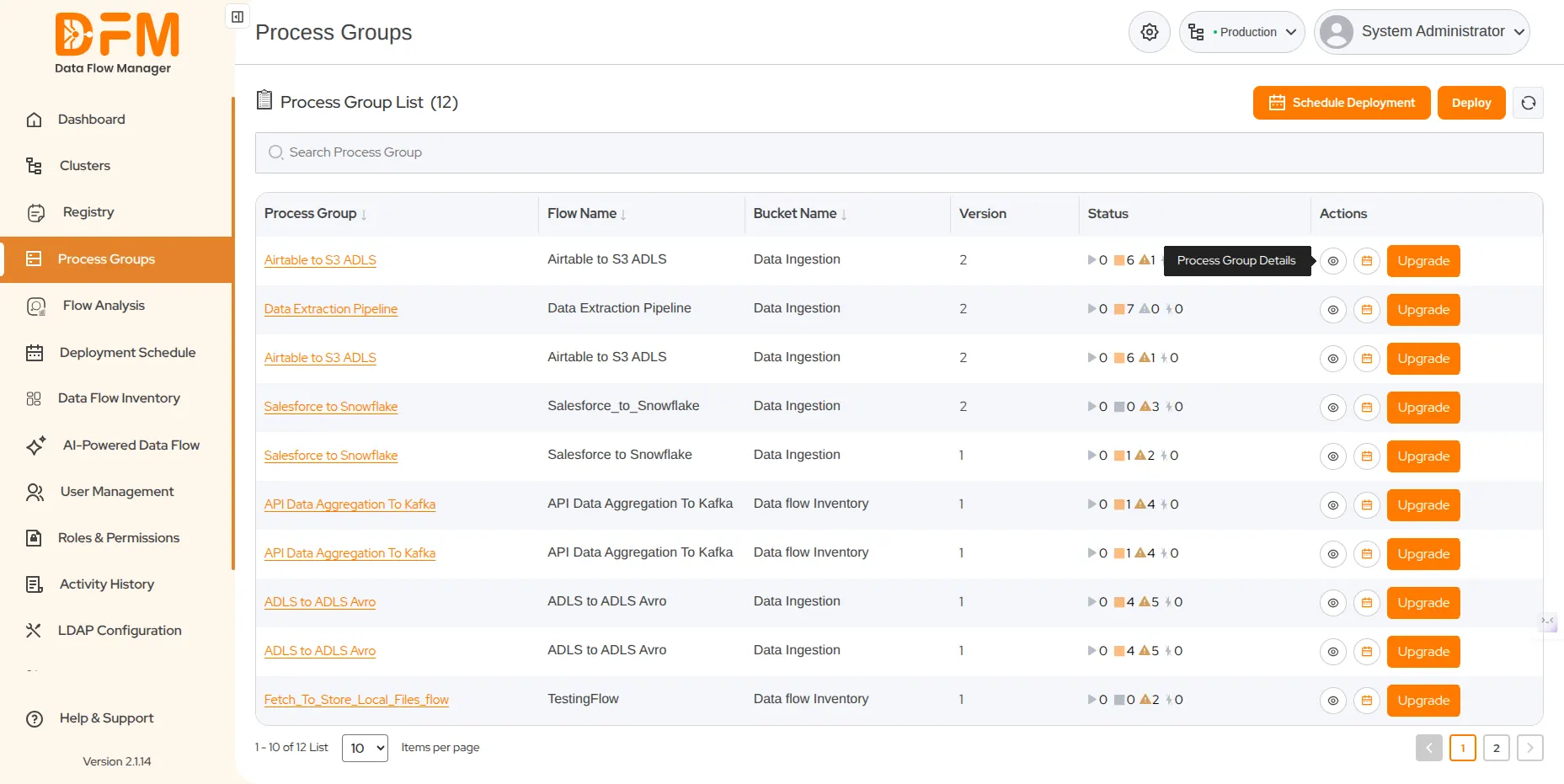
Each process group is listed with the flow name, bucket name, version, status, and actions to view details and upgrade the process group instantly and in advance.
The status column displays 4 major parameters of the process group - running flows, stopped flows, invalid flows, and disabled flows – providing real-time visibility into flow states.
To view the details of a specific process group
- Under the Actions column, click the eye icon.
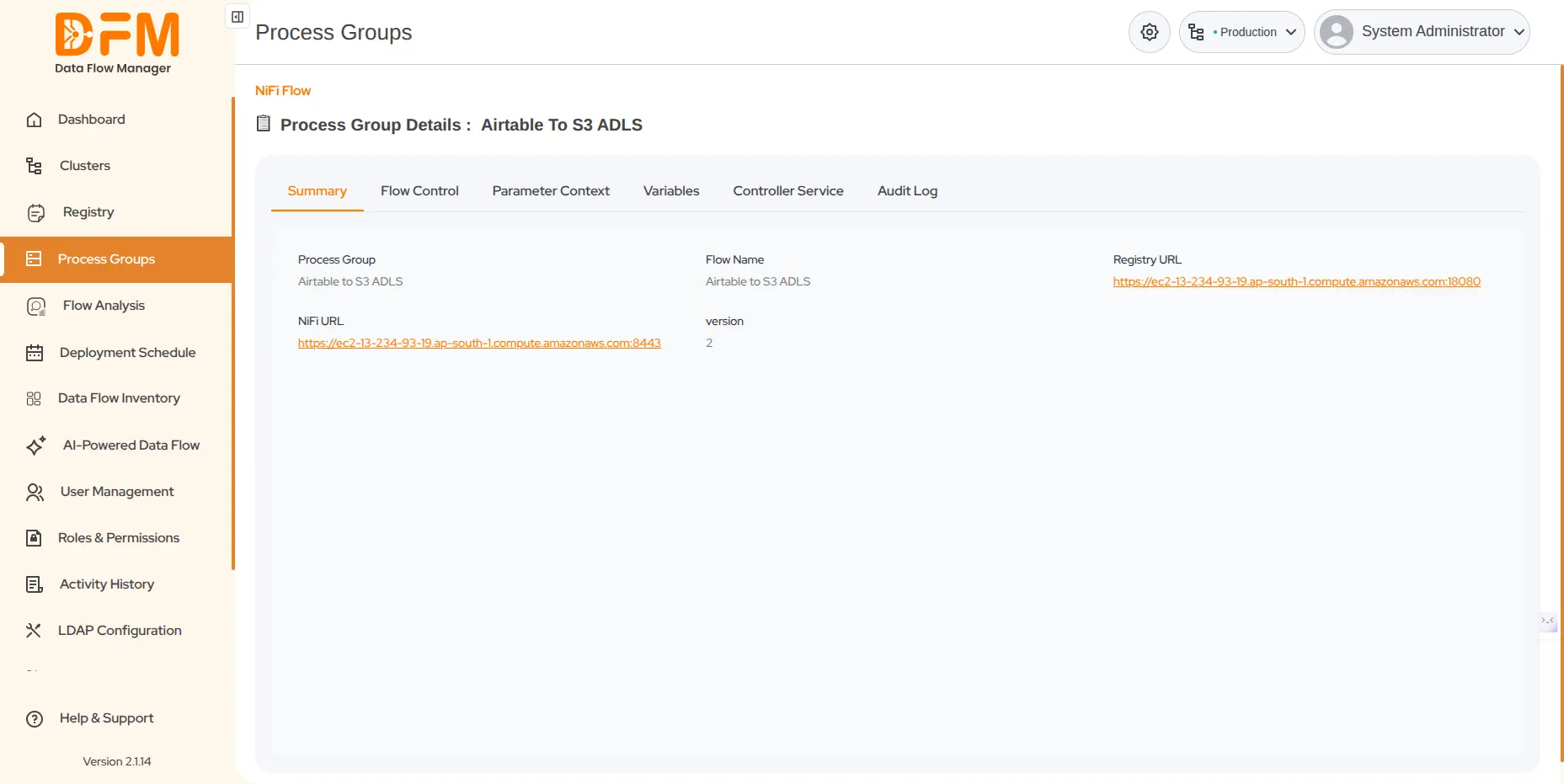
- You’ll get all the details of the process group, such as summary, flow control, parameter context, variables, controller service, and audit log.
 1800 121 0218
  +1 (646) 203-1075
  +91 8527471031
 sales@ksolves.com