




How to schedule the deployment of a process group?
The Schedule Deployment feature in the Data Flow Manager (DFM) platform enables users to automate the deployment of process groups at a predefined time, ensuring smooth and consistent rollouts with minimal manual intervention. It is especially beneficial for scheduling deployments during off-peak hours to reduce downtime and operational disruptions. Each scheduled deployment requires approval from an Admin or Manager before execution, maintaining control and governance over release workflows. If not approved within the scheduled window, the deployment is halted but can be easily rescheduled, ensuring flexibility, efficiency, and reliability across environments.
To schedule the deployment of a process group:
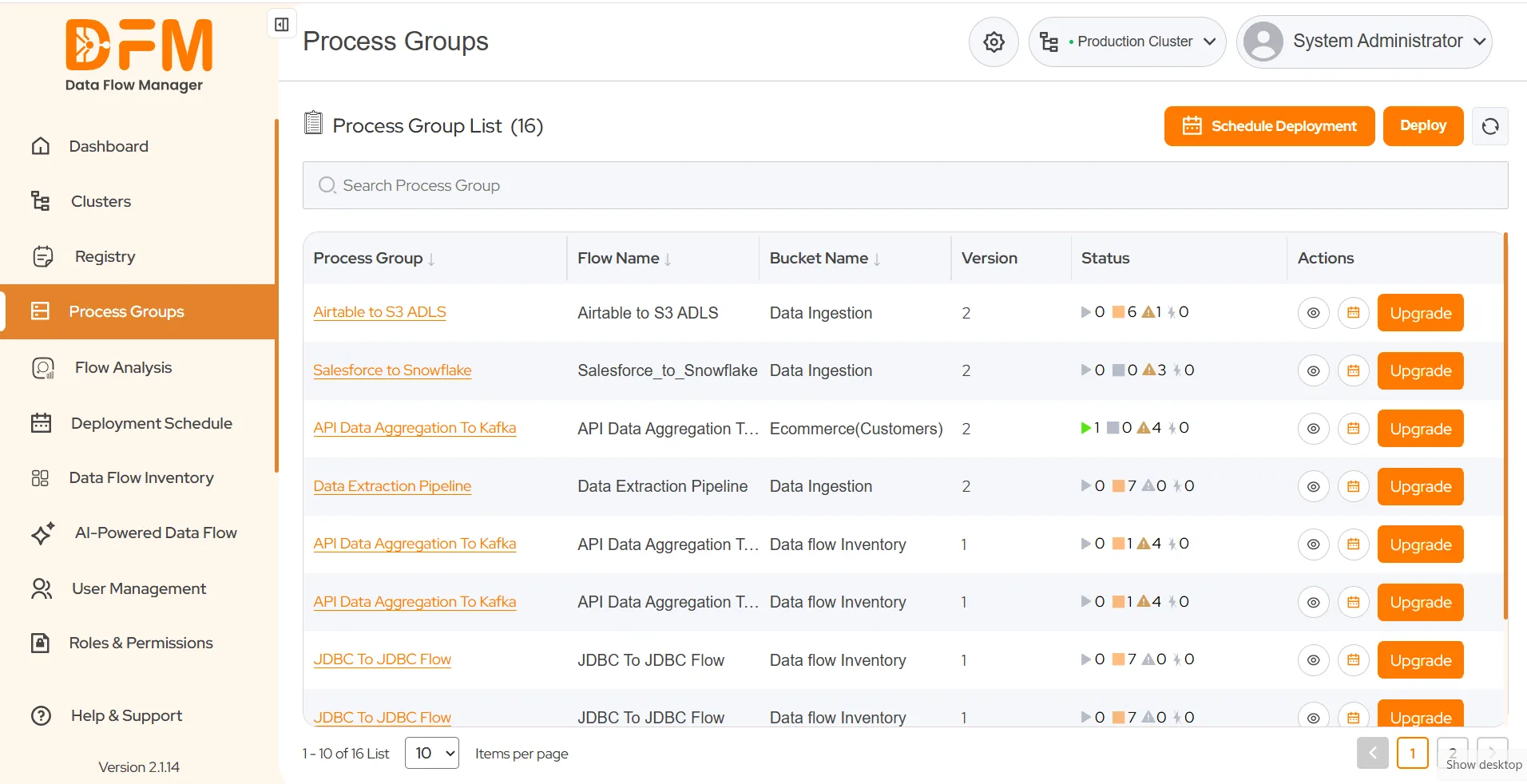
- Click the Schedule Deployment button on the top-right corner under the Process Groups tab.
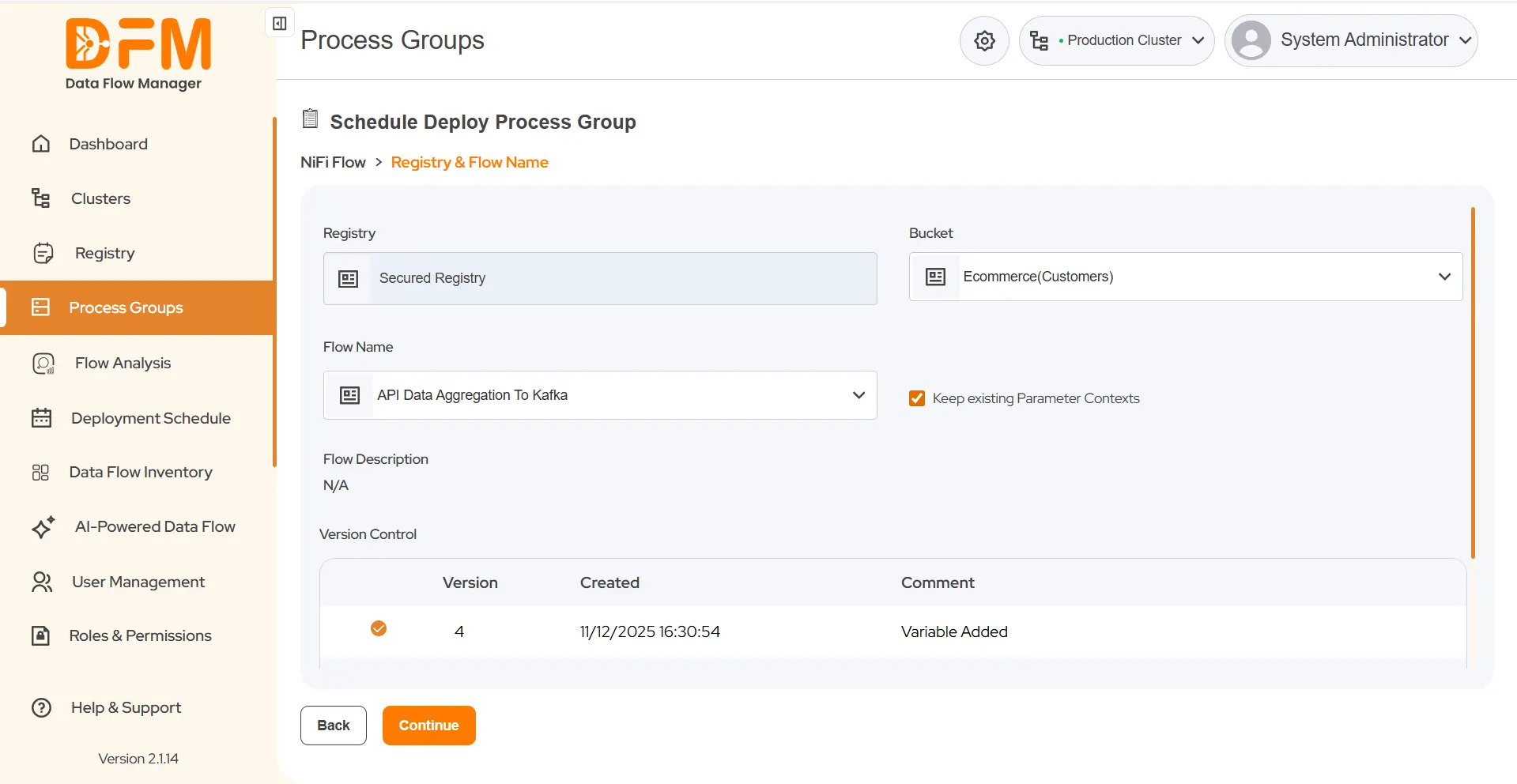
- Next, choose Bucket and Flow Name, and decide whether to keep the existing parameter contexts.
- Choose the flow version and click Continue.
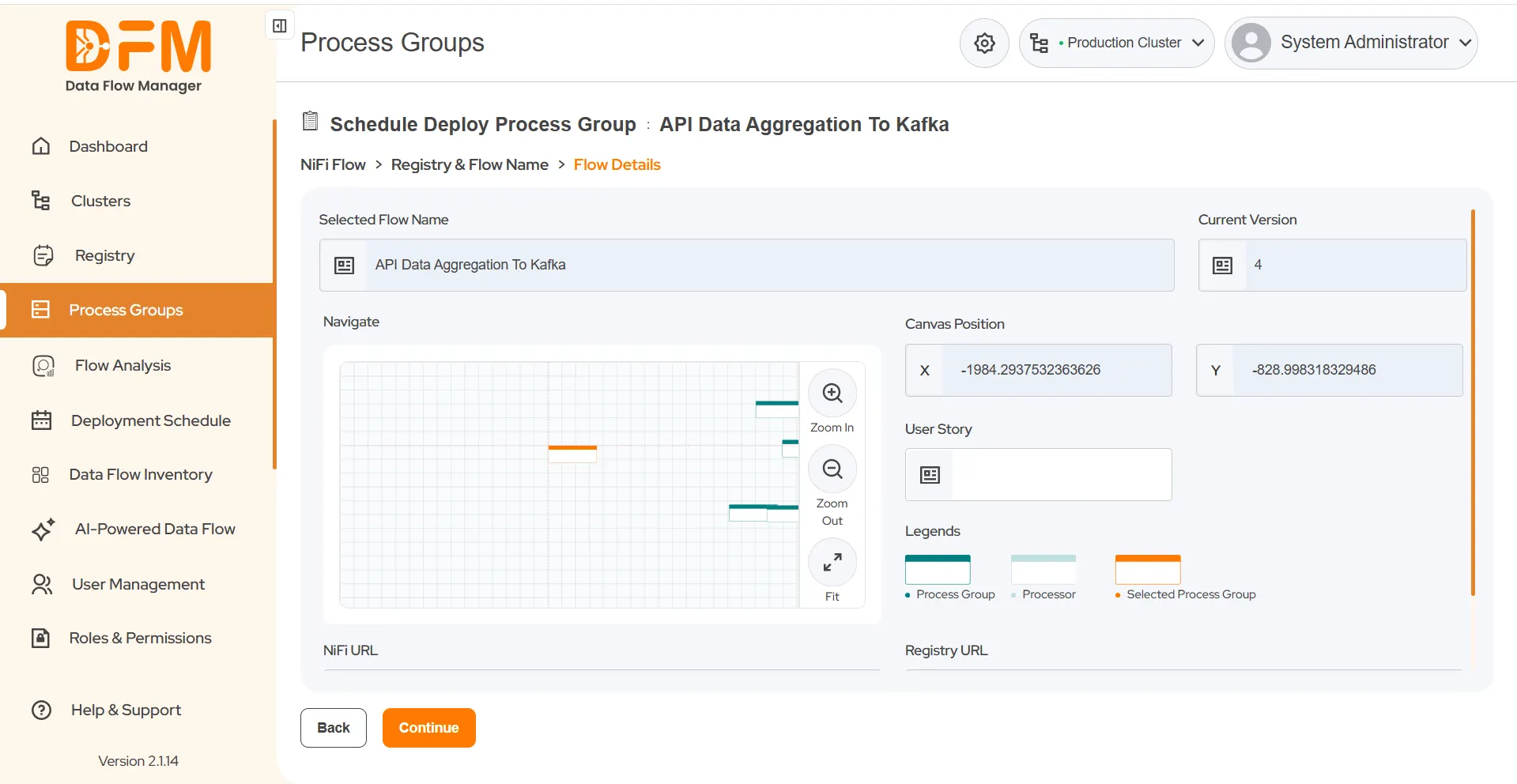
- Set the canvas position for the process group and continue.
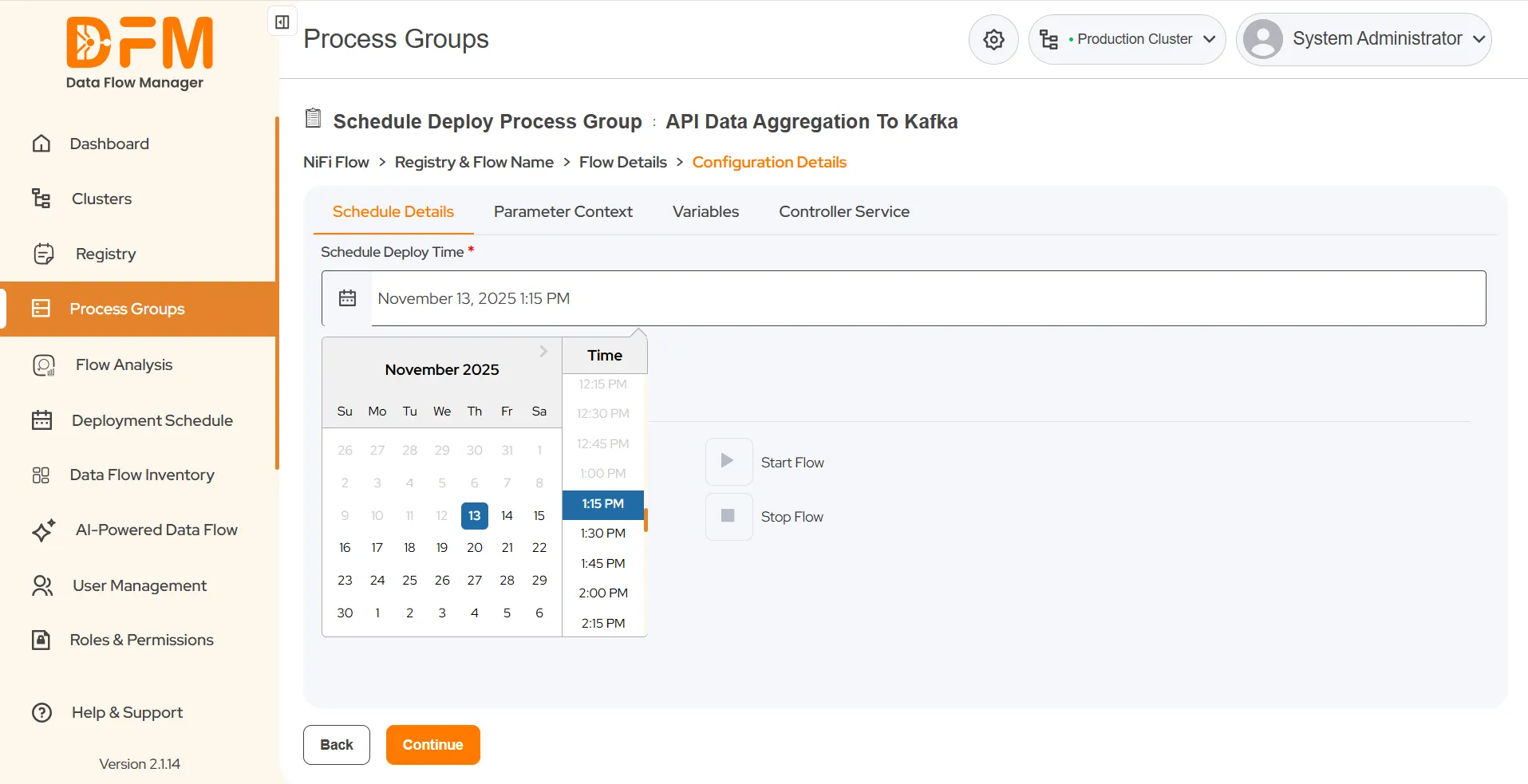
- Now, set the desired deployment time.
- Edit the parameter context and variables and configure the required external controller services.
- Ensure to start the flow and click continue.
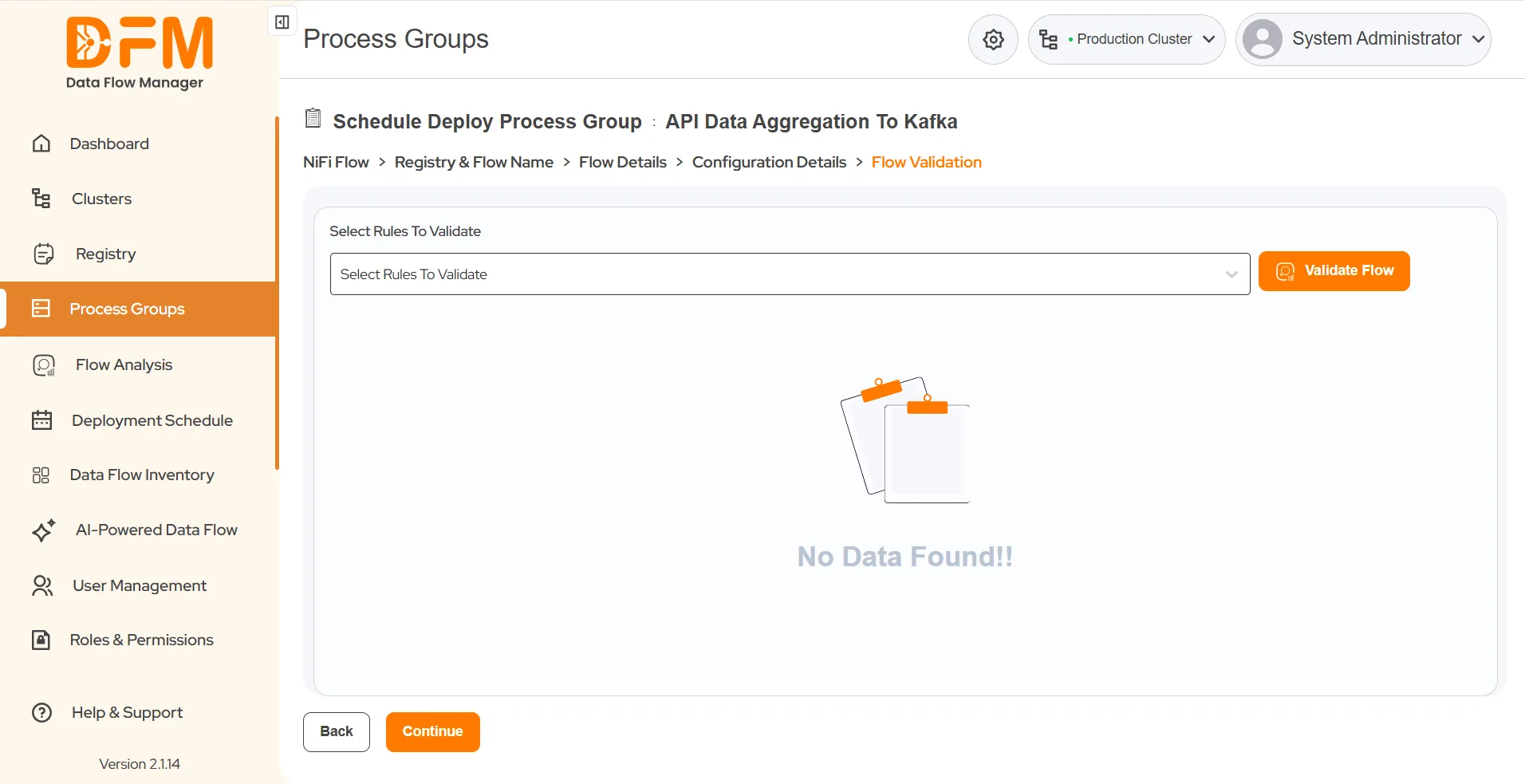
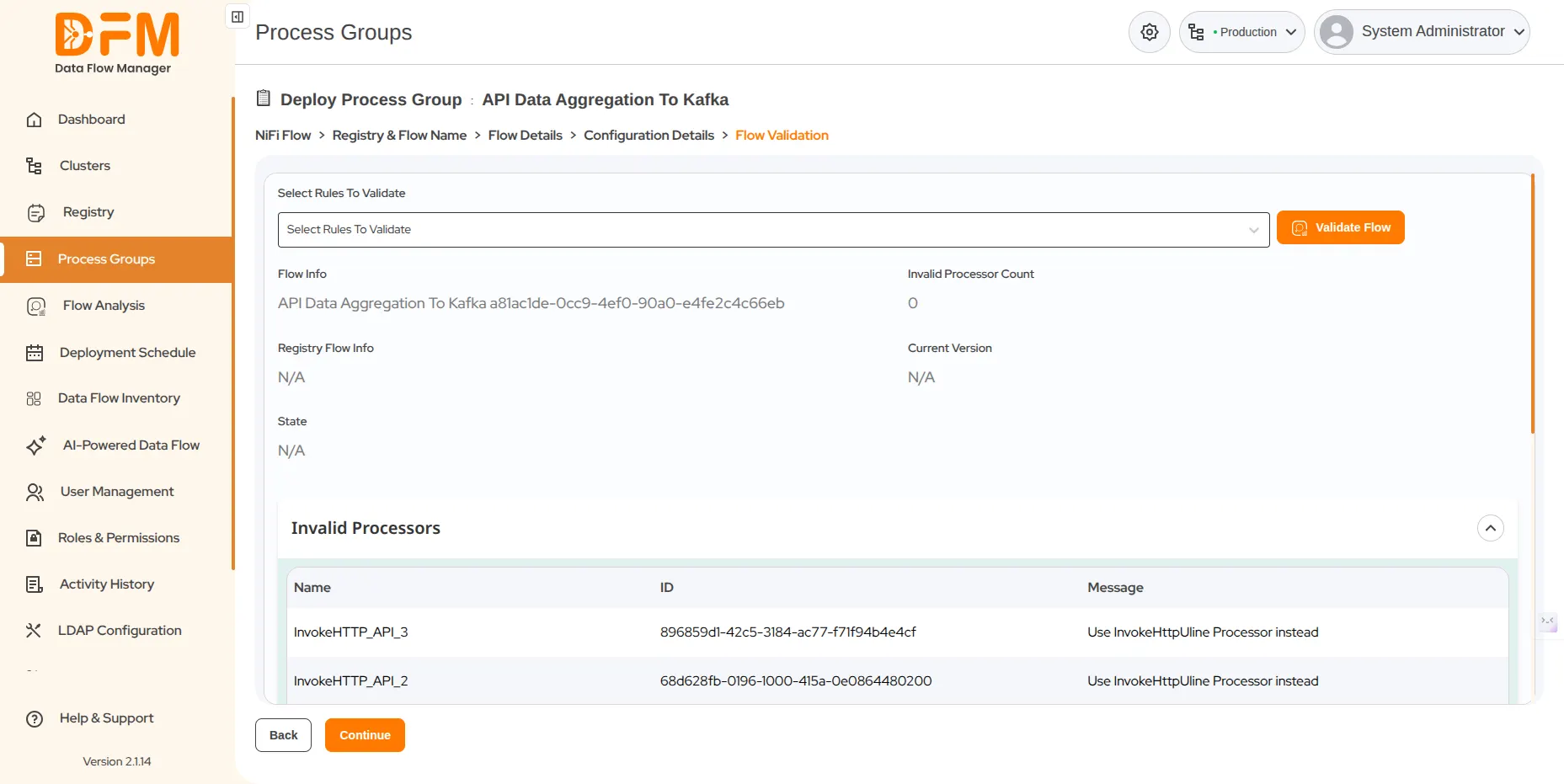
- Validate the flow by selecting rules to validate from the “Select Rules to Validate” dropdown.
- Click on the “Validate Flow” button to initiate validation.
- If you do not select any specific rule from the dropdown, the system will validate all the rules displayed in the dropdown options.
- After clicking on “Validate Flow”, it will display the rules that require correction, along with their name, ID, and message.
- You’ll be redirected to the summary page. Verify the flow details and scheduled time. Click Schedule.
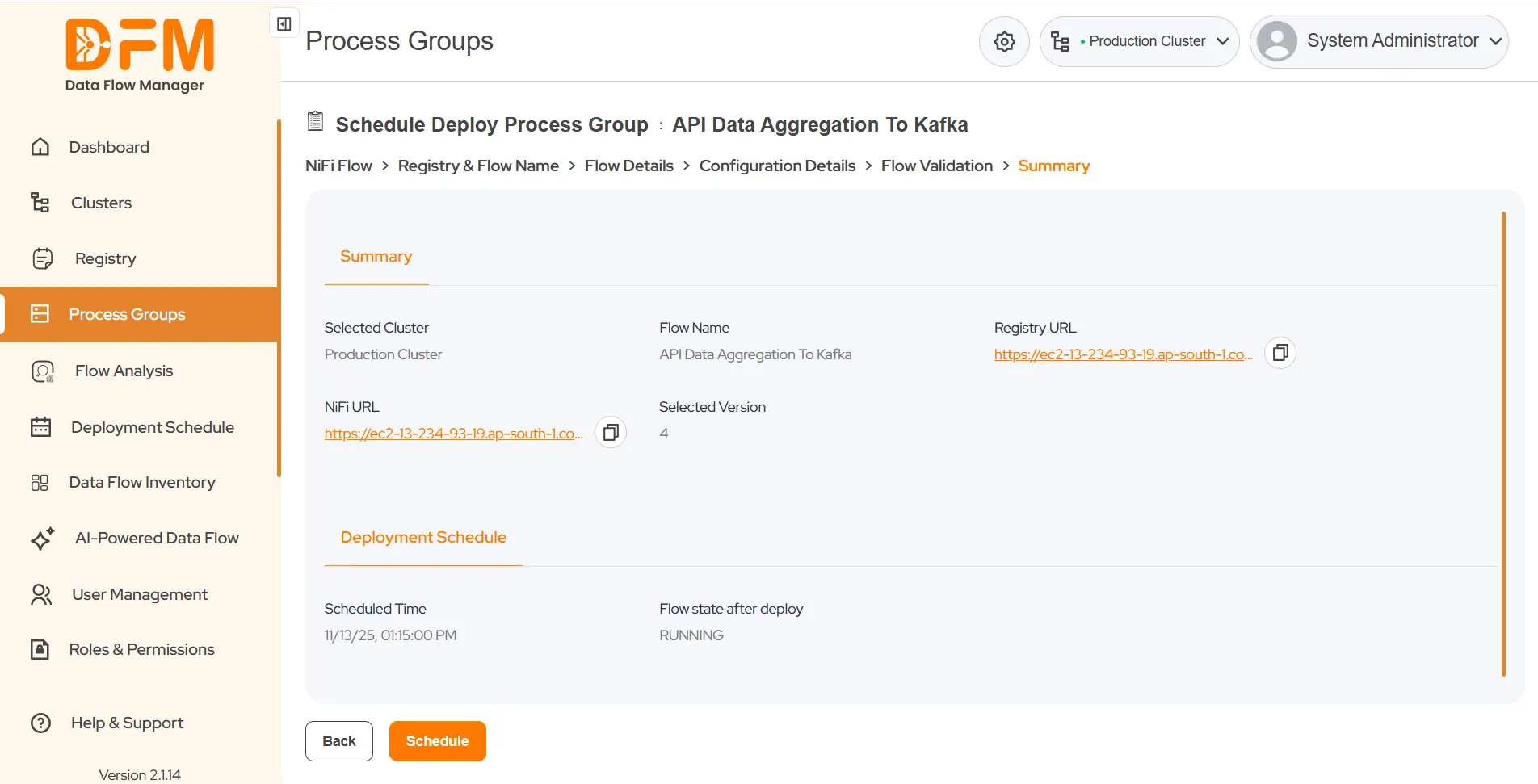
Your process group will be successfully deployed at the scheduled time.
 1800 121 0218
  +1 (646) 203-1075
  +91 8527471031
 sales@ksolves.com